

Text
Google LLC
November 22, 2026
Android 11
com.google.android.desktop.texteditor
RELATED APPS






SCREENSHOTS
DESCRIPTION
Do you need a simple way to write notes on your phone using a Text APK?
Many mobile applications are packed with features you do not need, making them slow and difficult to use. Text is a clean, lightweight text editor designed to solve this problem by focusing on the basics of writing. Developed by Google Commerce Ltd, this application provides a distraction-free environment for your notes. Because the Text APK focuses on speed, it is perfect for users who want to capture thoughts instantly.
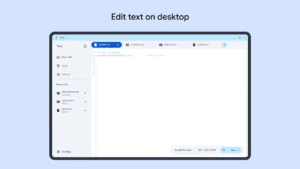
Using Text is easy because it avoids unnecessary menus and complex settings. When you open the application, you are presented with a blank space ready for your input. This makes it an ideal tool for users who want to jot down ideas quickly without waiting for a heavy app to load. You can easily manage your files using apps like MediaFire to keep your documents backed up and accessible across different devices.
What features does this editor offer?
The primary goal of this tool is to provide a minimalist interface for text creation. Because the app is lightweight, it uses very little storage space on your device. You can type, edit, and save your notes directly to your internal storage. If you are looking for other tools to organize your work, you might also consider using Google Meet to coordinate with your team. Text keeps your workflow simple and efficient by stripping away the clutter found in larger productivity suites.
Why choose the Text APK for your daily tasks?
When you use the Text APK, you get a reliable experience that performs consistently. The application is designed to be accessible, and since it is free, you do not need to worry about subscriptions or hidden costs. It remains a solid choice for anyone who values speed and simplicity in their daily writing tasks.
Strengths and limitations
- Very small file size and lightweight interface.
- Completely free to use with no complex setup required.
- Focused design prevents distractions while you write.
Additional details regarding your experience
- Lacks advanced formatting options like bold, italics, or font changes.
- No cloud synchronization features included by default.
- Requires local storage access to save your documents.
Who should install this app?
This editor is perfect for students, writers, or anyone who needs a quick place to store text snippets. If you prefer a minimalist approach to productivity, this app is a great addition to your device. However, if you require complex document formatting or integrated cloud storage for your writing, you may need a more comprehensive tool.
Is this app free to use?
Yes, the application is free of charge.
Can I use this app without an internet connection?
Yes, it functions as a local text editor, so you do not need an active data connection to write or save your notes.
How do I start writing?
Simply open the app after installation and begin typing on the blank screen provided.
