

To Do List - Easy Planner 3.3
Glad Appvestor
November 22, 2026
34.4 MB
3.3
todo.list.scheduleplanner.dailyplanner.tasks.reminders
RELATED APPS






SCREENSHOTS
DESCRIPTION
Managing your daily schedule with To Do List – Easy Planner APK
To Do List – Easy Planner is a task management tool developed by Glad Appvestor. It is designed to help you organize your daily life by tracking tasks, managing schedules, and setting reminders. If you need a simple way to stay on top of your responsibilities, this application aims to provide a clear and accessible interface for your planning needs. By downloading the To Do List – Easy Planner APK, you gain access to a personal assistant designed to bring structure and peace of mind to your daily routine, whether you are managing household chores or professional appointments.
Core features for daily organization
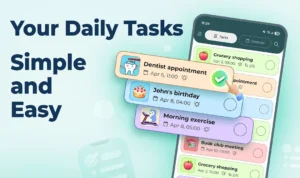
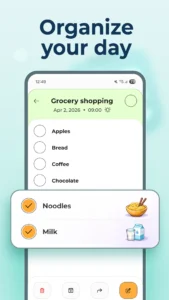
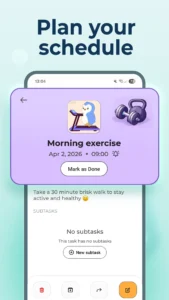
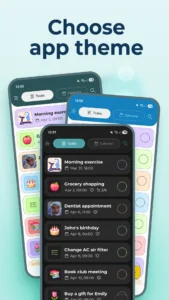
This app focuses on simplicity to help you manage your time effectively. You can quickly add to-do list items and daily schedules for everything from grocery lists to important family events. The application is built with a clean, uncluttered interface that uses large, readable text, making it easy to navigate through your daily tasks without getting lost in complex menus. This minimalist approach ensures that you spend less time configuring the app and more time completing your actual to-do list items.
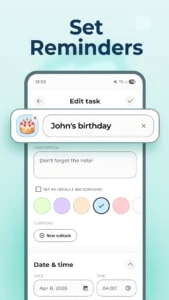
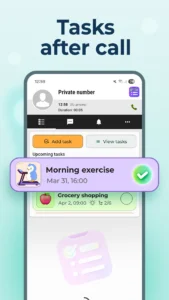
A notable feature is the ability to manage tasks during or after phone calls. This allows you to handle your to-do lists and set reminders while maintaining your conversation. The app also includes reliable notification settings to help you remember appointments, health check-ups, and social engagements. If you are looking for other productivity tools, you may want to try Google Meet for your communication needs or MediaFire to keep your files backed up and organized. The To Do List – Easy Planner APK remains a dedicated solution for those who want to track their goals and daily chores without excessive digital clutter.
Getting started and permissions
To install To Do List – Easy Planner, ensure your device allows installations from unknown sources. During setup, the app requests several permissions to function correctly. These include access to your contacts, phone state, and the ability to manage calls, which supports the call-related task management features. It also requires permissions for notifications, vibration, and exact alarm scheduling to ensure you receive your reminders on time. The app utilizes network state and internet access to provide its core services and display advertisements. By granting these permissions, the software can provide a comprehensive experience that keeps your tasks synced and your reminders punctual throughout the day.
Strengths and limitations
- Simple, clean interface with large text for easy readability.
- Integrated call features allow for task management during phone conversations.
- Reliable reminder system for daily tasks and appointments.
- Focuses on reducing stress through structured daily planning.
- The application is free but includes advertisements.
- Requires numerous permissions, including call and contact access, to support all features.
- Does not offer offline-only operation due to advertising and service requirements.
Who should install this app
This tool is ideal for users who want a simple way to organize their day without needing complex project management tools. If you frequently need to set quick reminders or manage tasks while on a call, To Do List – Easy Planner provides a dedicated solution. Users who prefer a minimalist design will likely appreciate the uncluttered layout. If you want a tool that grows with your needs, the To Do List – Easy Planner APK is a solid choice for maintaining a peaceful and productive schedule.
Frequently asked questions
Is To Do List – Easy Planner free?
Yes, the app is free to use, though it is supported by advertisements.
Does it work offline?
The app requires internet access for certain features, including the delivery of advertisements.
Can I manage tasks during a call?
Yes, the app includes specific features that allow you to manage and create to-do lists while remaining on a phone call.
