

Voice Changer - Voice Effects 1.02.113.1111
November 22, 2026
49.2 MB
1.02.113.1111
voicechanger.voiceeffects.soundeffects.voiceavatar
RELATED APPS






SCREENSHOTS

DESCRIPTION
How can you transform your audio with Voice Changer – Voice Effects APK?
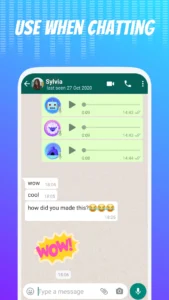
Are you looking for a fun way to modify your voice for pranks or creative projects? Voice Changer – Voice Effects is a versatile audio tool that lets you apply various avatars and sound effects to your recordings. Developed by Dairy App & Notes & Audio Editor & Voice Recorder, this application allows you to convert your speech into different styles, ranging from robotic tones to animal sounds. Whether you want to dub a video or simply change your voice for entertainment, this app provides multiple options to experiment with your audio files. By using the Voice Changer – Voice Effects APK, you gain access to a suite of professional-grade audio modification tools right on your mobile device.
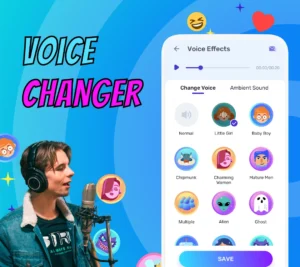
The app offers over 30 distinct voice effects, including options like male, female, baby, zombie, robot, and monster voices. Beyond simple pitch shifting, you can also add ambient sounds to simulate environments such as a rainy day, a noisy street, or the echo of a cave. If you are into audio experimentation, you can use Meulify to manage your music library while you work on your creative projects. You can apply these effects to existing audio files or record new clips directly within the app.
Core features for creative audio
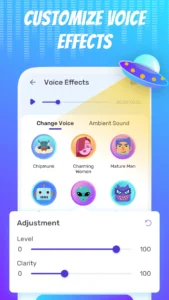
Voice Changer – Voice Effects includes several tools to help you customize your sound output. You can manually adjust parameters like pitch, volume, and clarity to get the exact result you want. For video creators, the app allows you to change the audio track of your video files, making it easy to create funny content for platforms like TikTok or YouTube. If you need to manage your device audio settings during your editing sessions, Sound Assistant can be a helpful companion for your Android device.
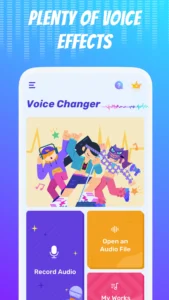
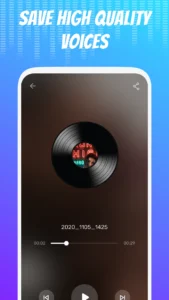
The application is designed to be user-friendly, allowing you to select an audio file or record sound, pick an effect, and save or share the result. It even provides features to create custom ringtones from your modified audio clips. With over 10 million installs, this tool has become a popular choice for users who want to add a unique touch to their voice recordings. The Voice Changer – Voice Effects APK is built to handle high-quality audio processing, ensuring your voice avatars sound clear and entertaining every time you share them with your friends.
Getting started and permissions
To begin, simply download and install the application on your Android device. Upon opening, the app will request various permissions to function correctly. These include access to your microphone for recording audio, storage access to read and write audio or video files, and camera access. It also uses internet and network state permissions to display ads and handle billing services for additional features. Please note that the app includes ads as part of its free-to-use model. You should ensure your device meets the standard requirements for modern audio editing software to enjoy the best experience.
Strengths and limitations
Strengths:
- Wide variety of over 30 voice avatars and sound effects.
- Ability to modify both audio files and video audio tracks.
- Manual adjustment tools for pitch, clarity, and volume.
- Free to use with many available effects.
Limitations:
- The app is supported by ads.
- Requires numerous permissions, including access to storage, microphone, and internet.
- In-app purchases may be available for certain features.
Is this app free to use?
Yes, it is a free voice changer app that offers many voice avatars and sound effects at no cost.
Can I use this for video files?
Yes, the app supports changing the voice in video clips recorded or opened from your device storage.
Does it work offline?
While some features like ads require an internet connection, you can record and apply effects to audio saved on your device.
