

Voice Recorder & Voice Memos 1.02.61.1111
November 22, 2026
35.9 MB
1.02.61.1111
Android 7.0
myrecorder.voicerecorder.voicememos.audiorecorder.recordingapp
RELATED APPS






SCREENSHOTS
DESCRIPTION
Get Started with the Voice Recorder & Voice Memos APK
When you need a reliable way to capture meeting notes, interviews, or musical ideas, the Voice Recorder & Voice Memos APK offers a capable solution for Android users. Developed by Google Commerce Ltd, this application acts as a versatile tool for anyone who needs to record clear audio without strict time limitations. Whether you are a student recording a lecture or a musician capturing a quick melody, the app provides a stable environment for your sound files. By downloading the Voice Recorder & Voice Memos APK, you gain access to a professional-grade audio manager that fits right in your pocket.
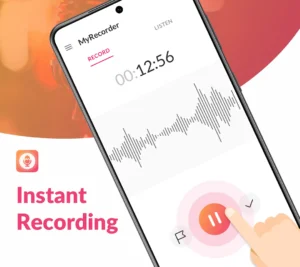
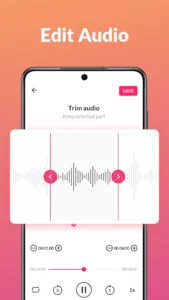
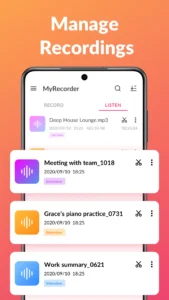
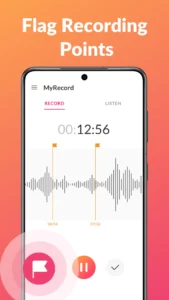
The app organizes your audio library by allowing you to categorize recordings with custom tags. You can easily navigate through long sessions by adding markers, which helps you jump to specific moments during playback. The recent update introduces a quick record shortcut, allowing you to start capturing audio immediately by long-pressing the app icon on your home screen. For those who want to refine their files, the integrated editor lets you cut sounds directly within the interface. The Voice Recorder & Voice Memos APK is designed to be accessible, letting you manage your recordings with minimal effort.
Key Features for Better Recording
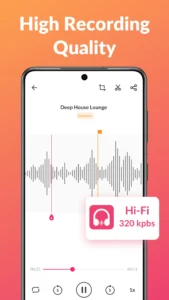
Voice Recorder & Voice Memos provides several tools to ensure your audio meets your needs. You can choose between different formats including AAC, M4A, AMR, and MP3, giving you flexibility with file sizes and compatibility. The app also supports both mono and stereo sound attributes, depending on your recording requirements. You can use the audio player to adjust playback speeds or set your favorite clips as custom ringtones. The synced waveform and seekbar allow for precise navigation through your recorded audio files.
Managing your library is simple thanks to the album art support, which lets you assign custom images to your recordings. If you are worried about background noise, the app features improved AI denoise stability to help keep your voice memos crisp. For users who need to record while using other apps, the background recording feature allows the process to continue even when your screen is off. You can explore other audio tools like Meulify if you are looking for more ways to manage your music collection.
Installation and Permissions
To begin, install the app and grant the necessary permissions for it to function correctly. The app requires access to your microphone to record audio and storage permissions to save your files on your device. It also uses network and Bluetooth permissions for various connectivity features and to manage the ads within the interface. Other requested permissions include access to phone state and notification settings to ensure the recording service stays active. If you need to manage your system’s audio output, you might also find Sound Assistant useful for your device configuration.
Strengths and Limitations
Strengths:
- No time limits on recording sessions.
- Supports multiple formats like MP3 and AAC.
- Includes built-in editing tools for cutting audio.
- Background recording allows for multitasking.
- Quick record shortcut for instant access.
Limitations:
- The app contains advertisements.
- Requires several permissions for full functionality.
Is the app free to use?
Yes, Voice Recorder & Voice Memos is free to download and use, though it does include advertisements.
Can I record audio while my screen is turned off?
Yes, the app supports background recording, which allows you to capture audio even when the screen is off.
Does this app support file editing?
Yes, it includes an audio cutter that allows you to trim your recordings directly within the app.
What audio formats are supported?
The app supports AAC, M4A, AMR, and MP3 formats.
