

Voice Recorder - XVoice Lite 6.6
Glad Appvestor
November 22, 2026
69.1 MB
6.6
recorderpro.voicememos.audio.lite
RELATED APPS






SCREENSHOTS
DESCRIPTION
Capture Audio with Voice Recorder – XVoice Lite APK
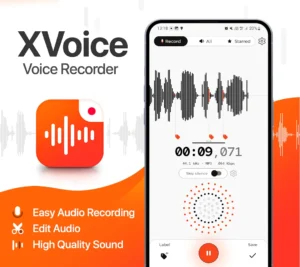
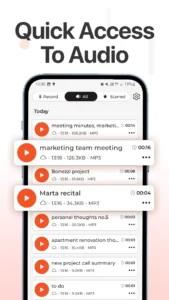
Voice Recorder – XVoice Lite is a versatile tool designed to help you capture high-quality audio for personal notes, meetings, or interviews. Developed by Glad Appvestor, this application focuses on providing a clear experience for users who need to record voice memos and manage them efficiently. If you need a reliable way to document your thoughts or save important conversations, this app offers the essential tools to get the job done. With over 1 million installs, it is a popular choice for mobile audio capture. Its simple and intuitive interface ensures that you can start recording in seconds without navigating through complex menus.
Key Features for Better Recording
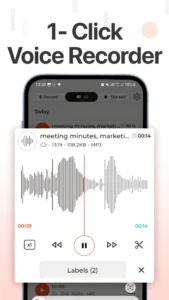
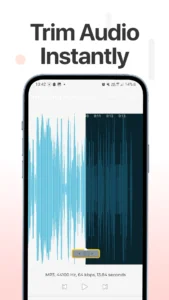
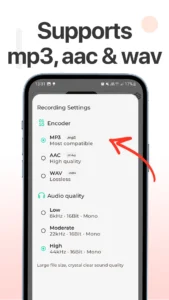
The app includes several functions to improve your audio management. You can choose your preferred recording quality, ranging from 8kHz to 44kHz, depending on your specific needs. A standout feature is the automatic silence detection, which skips empty intervals to save storage space and keep your files concise. You can also use the integrated trim tool to remove unwanted sections from your clips, ensuring your Voice Recorder – XVoice Lite files are always polished and ready for use. These tools allow you to manage your recordings without needing external editing software on your phone, giving you full control over your audio sessions.
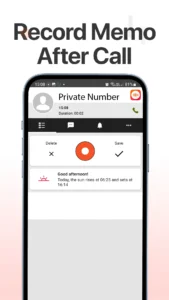
For those who need to document business or personal discussions, the after-call memo feature is particularly useful. It provides an overlay screen immediately after a call, allowing you to take notes or manage recordings right away. This ensures you never lose critical information discussed during a phone conversation. To further manage your device audio, you can look at Sound Assistant to help balance your device’s audio settings. The app also allows you to pause, resume, and save sessions, providing flexibility during long lectures or meetings.
Getting Started and Permissions
To start using the app, download the file and follow the on-screen installation prompts. Because the app handles audio files and phone events, it requires specific permissions. It needs access to your microphone for recording, and it uses foreground services to ensure recordings continue while you use other apps. The app also requests network access to support its ad-supported model and to enable sharing features through third-party messaging services. It also requires access to your ad services, network state, and Wi-Fi state to function correctly. For other audio management needs, you could also explore Meulify as a companion for your media library. Please note that the app also uses vibrate and wake lock permissions to manage notifications and background processes effectively.
Quick Facts
Strengths and Limitations
Strengths:
- High-quality audio output with adjustable sample rates.
- Useful after-call memo overlay for quick note-taking.
- Effective silence detection to reduce file size.
- Simple interface for organizing and sharing recordings.
- Versatile usage for students, professionals, and personal note-taking.
Limitations:
- The app is supported by advertisements.
- Requires multiple permissions, including microphone and phone state access.
- Includes billing and license check features for premium functionality.
- The file size is 69.1 MB.
Frequently Asked Questions
Is Voice Recorder – XVoice Lite free to use?
Yes, the app is free to download and use, though it includes advertisements to support its development.
Can I trim my recordings inside the app?
Yes, Voice Recorder – XVoice Lite includes a built-in trim feature that lets you remove unwanted parts of your audio files instantly.
Does this app work after phone calls?
Yes, the app features an after-call menu that allows you to take notes or manage audio recordings immediately after you finish a call.
Which Android version is required?
The developer has not specified a minimum Android version for the current 6.6 release of this Voice Recorder – XVoice Lite APK.
