


Warehouse Management 4.2.2.0
Microsoft Corporation
November 22, 2026
73.2 MB
4.2.2.0
Android 7.0
com.Microsoft.WarehouseManagement
RELATED APPS






SCREENSHOTS
DESCRIPTION
Warehouse Management is a mobile solution developed by Microsoft Corporation designed for warehouse employees. The app connects directly to your Dynamics 365 Supply Chain Management environment to help workers handle daily operations like receiving, picking, putaway, and cycle counting. It allows you to manage material handling tasks directly from the warehouse floor using your Android device. By using the Warehouse Management APK, workers can maintain high productivity while moving through the facility.
Getting Started with the Warehouse Management APK
You can install the Warehouse Management app to begin streamlining your operations. If you are not currently using a Dynamics 365 environment, you can still explore the app’s capabilities by running it in demo mode. The app requires several permissions to function correctly, including camera access for scanning, internet access for connectivity, and NFC support. It also uses vibration and wake lock permissions to ensure you receive notifications and the device remains ready during long shifts. Other permissions, such as record audio and modify audio settings, are utilized to support the specific hardware requirements of industrial scanning devices.
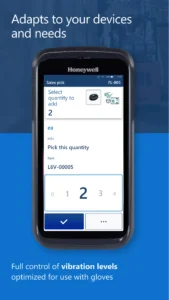
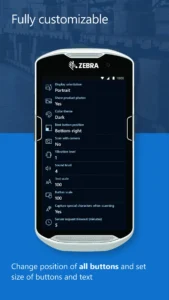
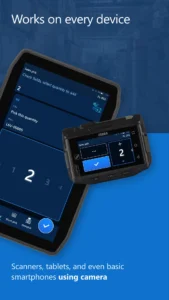
This tool is built for high-paced work environments. It features large touch targets and a high-contrast design, making it easier to use even when wearing gloves or working with dirty screens. The interface is designed to keep important information clear, with large fonts that improve readability while you are on the move. You can also customize button locations to suit your specific grip or handedness, which helps improve overall ergonomics during your shift. The app includes a built-in numpad and a calculator that opens automatically when you need to enter quantities over 20.
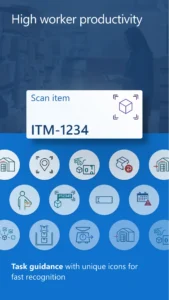
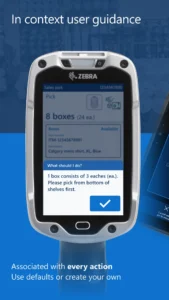
If you are looking for other productivity tools for your organization, you might consider trying Google Meet for your team communication needs. For users exploring advanced search and assistance, the Bing: Chat with AI & GPT-4 application is another option to integrate into your workflow. Warehouse Management aims to accelerate the training of new employees by providing clear titles, illustrations for every step, and full-screen photos that help verify product selections quickly.
Key Productivity Features
- Access to over 50 different warehouse processes supported by Dynamics 365.
- Large input controls designed for fast-paced scanning environments.
- Automatic calculator feature for quantities exceeding 20 units.
- Centralized management of worker preferences and device settings.
- Full-screen product images to assist new workers with accurate item selection.
Strengths and Limitations
- Large touch targets and high-contrast visuals for difficult environments.
- Includes a demo mode for users to test features without an active server connection.
- Built-in numpad and calculator for quick quantity entry.
- Requires Android 7.0 or higher.
- Features a large file size of 73.2 MB.
- Requires constant internet connectivity for live server synchronization.
Who Should Use This App?
This app is ideal for warehouse workers and logistics teams already utilizing Microsoft Dynamics 365 Supply Chain Management. It is specifically designed to handle industrial tasks in fast-paced settings. If you do not work in a warehouse or use this specific Microsoft platform, this tool will not be useful for your daily tasks.
Frequently Asked Questions
Is Warehouse Management free to download?
Yes, the app is free to download and use.
Does it work offline?
The app is intended to connect to a Dynamics 365 Supply Chain Management environment, though a demo mode is available for offline exploration.
Which Android version is required?
You need a device running Android 7.0 or higher to install this application.
