


BandLab – Music Making Studio 11.36.2
BandLab Technologies
November 20, 2026
104.0 MB
11.36.2
Android 9
com.bandlab.bandlab
RELATED APPS





SCREENSHOTS
DESCRIPTION
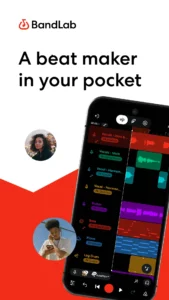
Can you record, edit, and master full songs directly on your smartphone? With BandLab – Music Making Studio, developer Google Commerce Ltd provides a portable workstation designed for recording artists and beatmakers. Downloading the BandLab – Music Making Studio APK gives you instant access to multi-track recording, virtual instruments, and audio FX tools directly on your mobile device.
What Music Tools Does BandLab Offer?
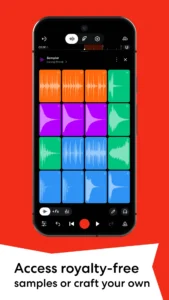
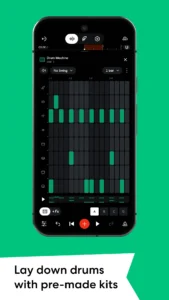
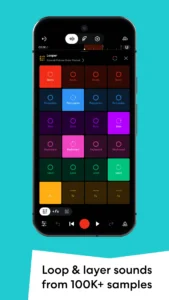
The app serves as a digital studio equipped with over 385 virtual instruments, ranging from acoustic guitars and grand pianos to traditional pipes. You can build drum tracks using an online step sequencer or select from more than 250,000 royalty-free samples in the built-in library. For vocalists, the AutoPitch engine provides pitch correction across various keys and scale types using six default effects.
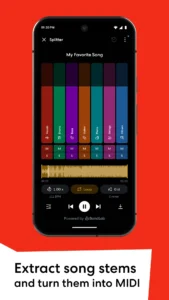
When working with existing songs or audio stems, the integrated Splitter tool automatically separates tracks into vocals, drums, bass, and other instruments. Once your mix is ready, instant mastering presets designed by audio engineers let you process MP3, MP4, or WAV files for streaming. If you need an ad free music player for previewing your exported tracks offline, third-party media players work alongside your exported audio files.
For users who want to adjust system sound levels or manage monitor headphone balances while recording, dedicated audio tools like Sound Assistant can help manage device audio routing on compatible hardware.
How to Set Up BandLab – Music Making Studio APK
Getting started requires downloading the 104.0 MB file package and creating an account to save your studio sessions online. Upon opening the app for the first time, you will need to grant specific Android permissions to enable hardware features:
- Audio Recording (RECORD_AUDIO): Required for capturing vocal takes, acoustic instruments, and live microphone input.
- Storage Access (READ_EXTERNAL_STORAGE & WRITE_EXTERNAL_STORAGE): Necessary for saving exported WAV or MP3 files and loading local samples into your projects.
- Camera Access (CAMERA): Used if you upload custom cover artwork or record video clips within the social community features.
- Foreground Services & Bluetooth: Keeps recording and media playback active during screen lock and supports external Bluetooth microphones or audio interfaces.
The table below summarizes the core app details for the BandLab – Music Making Studio latest version install package.
What Are the Pros and Cons of BandLab?
Strengths:
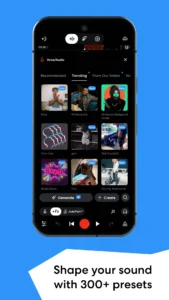
- Free access to over 385 virtual instruments and 300 vocal and audio FX presets.
- Includes automated mastering for MP3 and WAV files with four free presets.
- Splitter feature isolates vocals, drums, and bass stems without additional software.
- SongStarter tool generates royalty-free musical ideas when starting new projects.
Limitations:
- Free tier includes advertisements during operation.
- Advanced features like 7-stem separation, custom AutoPitch scale editing, and AI mixing require a paid Membership subscription.
- Requires an active network connection for online sample downloads and cloud backup functions.
Who Should Download This Audio Studio?
If you need a mobile DAW music editor to draft song ideas, record vocals, or produce beats without sitting at a desktop PC, BandLab – Music Making Studio for Android offers a strong feature set. Producers who want fast stem isolation and basic auto-tuning will find plenty of utility in the free tier. However, users looking for an offline-only workstation with no subscription features or ad placements may prefer traditional offline desktop software.
Frequently Asked Questions
Is BandLab – Music Making Studio APK free to use?
Yes. The basic application is free to download and use, supported by advertisements. Essential recording tools, virtual instruments, Splitter stem isolation, and basic mastering presets are accessible without payment.
What extra features require a BandLab Membership?
Paid membership unlocks 28 additional virtual instruments, advanced AutoPitch scale controls, 7-stem audio separation, visual EQ tools, and AI-driven AutoMix volume balancing.
How large is the BandLab – Music Making Studio download package?
The installation file size is 104.0 MB for version 11.36.2.
