


Calculator 9.3 (967717812)
Google LLC
November 22, 2026
7.0 MB
9.3 (967717812)
com.google.android.calculator
RELATED APPS






SCREENSHOTS
DESCRIPTION
Master Your Daily Math with Calculator APK
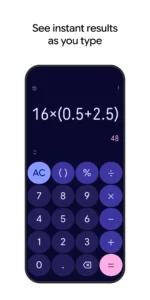
Calculator, developed by Google Commerce Ltd, is a streamlined tool designed to handle both basic and complex mathematical tasks. Whether you need to solve simple equations or require advanced scientific functions, this app provides a clean interface that helps you get results quickly. If you are looking for a reliable calculation tool for your device, the Calculator APK offers a balance of simplicity and power for everyday use. With over 1 billion installs, it remains one of the most trusted utilities available for Android users worldwide.
Key Features for Accurate Results
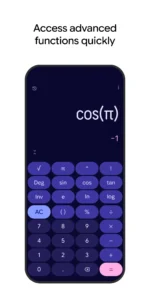
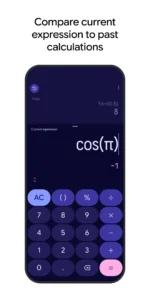
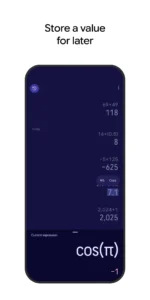
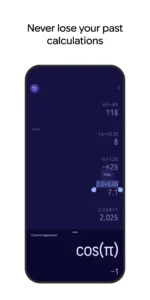
The app is built to handle a wide range of mathematical operations. You can easily perform basic calculations including addition, subtraction, multiplication, and division. Beyond simple arithmetic, the app includes scientific operations such as trigonometric, logarithmic, and exponential functions. These features make Calculator a versatile choice for students, engineers, and anyone who needs to compute figures on the go. The latest version brings a refined look with the Material 3 Expressive design, ensuring the interface remains modern and easy to read.
The app remains lightweight at 7.0 MB, making it an efficient addition to your collection of tools. You might also find other utility tools useful for your device, such as ZArchiver Pro Donate for managing your files or the Minecraft Java: PojavLauncher to run Java Edition software. By choosing Calculator, you ensure that your device stays fast and uncluttered while having powerful math capabilities at your fingertips at all times.
Getting Started and Permissions
To begin using the app, download the latest version and install it on your device. The application requires several permissions to function correctly, including access to network state and the internet to support its operations. It also uses wake lock to maintain performance during active calculations and requires specific system permissions to manage package sizes and internal services. These permissions are standard for an app that provides consistent performance across the Android ecosystem, and they ensure the Calculator app remains stable during complex operations.
Quick Facts
Strengths and Limitations
Strengths:
- Clean, Material 3 design that is easy to navigate.
- Covers both basic arithmetic and advanced scientific operations.
- Very small file size, saving space on your phone.
- Highly rated by millions of global users.
Limitations:
- Requires several system permissions to operate.
- Limited to specific mathematical functions provided by the developer.
Who Should Use This App
This tool is ideal for users who want a distraction-free calculator that works consistently. If you are a student or professional who needs quick access to scientific functions without unnecessary clutter, this is a great choice. Users who prefer minimal apps that perform one job well will find this a perfect fit. If you require highly specialized engineering software or financial modeling tools with complex graphing, you might need to look for a more specialized application.
Is Calculator free?
Yes, the app is completely free to use.
Does it work offline?
The app performs core calculations locally on your device, allowing you to use it without an active internet connection for basic math.
Which Android version is required?
Specific minimum Android requirements are not listed, but it is designed for modern Android devices.
