


Carrier Services carrierservices.android_20261026_00_RC00.phone
Google LLC
November 22, 2026
9.6 MB
carrierservices.android_20261026_00_RC00.phone
com.google.android.ims
RELATED APPS






SCREENSHOTS



DESCRIPTION
Setting up RCS with Carrier Services APK
Carrier Services is a background utility developed by Google Commerce Ltd that enables Rich Communication Services, commonly known as RCS, on your Android device. It acts as a bridge between your mobile provider and your messaging application to ensure that advanced features function as intended. If you are looking to improve your text messaging experience, the Carrier Services APK is a fundamental component for your phone.
By installing this tool, you allow your device to handle modern communication standards that go beyond simple SMS and MMS. It works in the background to maintain a stable connection for your messages, ensuring that features like read receipts and high-quality media sharing work reliably. Many users choose to install this alongside apps like Telegram to manage their various communication needs.
Core Features for Messaging
The primary role of this application is to support the RCS messaging infrastructure within Google’s Messages app. By providing these background services, it ensures that your messaging client can communicate with your mobile carrier. The app also collects diagnostic and crash data, which helps the developers identify and fix issues to keep the service running smoothly for over 5 billion users worldwide.
Because it operates as a system-level support tool, you do not need to interact with it directly once it is installed. It quietly manages the technical handshake between your hardware and the network, allowing you to focus on sending and receiving texts. For those who prioritize browsing alongside their communication, it often complements tools like Google Chrome: Fast & Secure in a standard Android setup.
Installation and Permissions
To use Carrier Services, you simply need to ensure your device is compatible and keep the app updated. The application requires a wide range of permissions to function, including access to your contacts, call logs, camera, and precise location. These permissions are necessary for the app to facilitate advanced messaging features, such as sharing location or media within an RCS chat, and to manage phone state for network connectivity.
Strengths and Considerations
- Enables modern RCS messaging features like read receipts and typing indicators.
- Small file size of 9.6 MB ensures it does not take up significant storage space.
- Provides essential stability and diagnostic reporting for messaging services.
- Requires a long list of system permissions to operate.
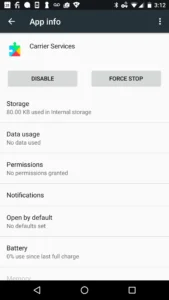
- Operates mainly as a background utility, offering no user-facing interface.
Frequently Asked Questions
Is Carrier Services free to use?
Yes, the app is free to download and install on your Android device.
Does this app work offline?
No, this service is designed to support network-based RCS messaging and requires a connection to function.
Will this app affect my battery life?
It is designed to run in the background, though it uses standard system resources to maintain network connectivity.
