


Chatbot AI Assistant - Genie 10.7.3
APPNATION AS
November 21, 2026
174.5 MB
10.7.3
Android 8.0
co.appnation.geniechat
RELATED APPS





SCREENSHOTS
DESCRIPTION
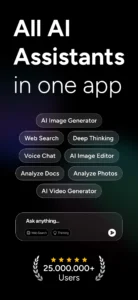
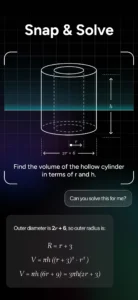
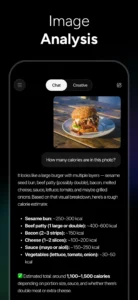
Getting started with the Chatbot AI Assistant – Genie APK gives you direct access to multiple artificial intelligence models in a single workspace. Developed by Google Commerce Ltd, this tool combines text generation, coding help, image creation, and video synthesis into one mobile interface. It helps students, creators, and professionals tackle daily productivity tasks without jumping between separate services. By centralizing these powerful technologies, the app simplifies how you interact with modern generative AI.
Setting Up Chatbot AI Assistant – Genie APK
To begin using Chatbot AI Assistant – Genie, download the installation file and launch the app on your device. The initial setup requires no complex configuration, allowing you to choose an AI model or tool immediately. To provide its full range of creative features, the application requests several system permissions during setup.
Camera and audio permissions (RECORD_AUDIO and CAMERA) allow you to record audio prompts or capture pictures directly within the app. Media storage permissions, such as READ_MEDIA_IMAGES and READ_MEDIA_VIDEO, enable the app to import existing files for analysis or export your generated artwork. Notification access alerts you when background tasks finish, while location and network permissions maintain connectivity to the underlying cloud services.
Core Features and Multi-Model Access
The app brings together a wide variety of third-party language and reasoning engines. You can switch between models like GPT-6, Gemini, Grok, DeepSeek, Claude, Perplexity Sonar, Kimi, GLM, and Muse Wonder depending on your specific task. This flexibility allows you to compare answers, test different writing styles, or find specialized help for complex coding problems.
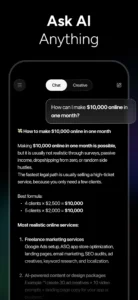
Beyond standard text responses, the platform offers specialized utilities for work and study. You can draft emails, summarize lengthy YouTube videos, convert document formats, and translate text across languages. When coordinating work across tools like Google Meet, using an all-in-one AI assistant helps draft quick meeting notes and summarize discussion topics.
AI Image and Video Creation
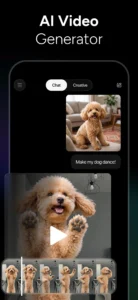
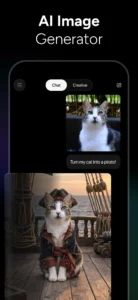
In addition to text processing, the app includes visual creation engines. The image generation section relies on tools like Nano Banana, GPT Image, and Grok Imagine. You enter a descriptive prompt to generate illustrations, social graphics, or digital concept art in seconds. For moving visuals, the app integrates video generation technologies including Seedance and Kling. You can turn short text prompts into animated clips or use image-to-video options for storytelling projects. If you routinely store output media on platforms like MediaFire cloud storage, saving generated clips and graphics from the app to local device storage takes only a few taps.
Quick Facts
Strengths and Limitations
Before installing the Chatbot AI Assistant – Genie latest version, consider these operational points based on the app specifications:
- Consolidates multiple AI text, image, and video models in one application.
- Offers document conversion, YouTube video summarization, and prompt-based art generation.
- Free to install with a wide range of creative capabilities.
- Contains advertisements within the interface.
- The file size is relatively large at 174.5 MB.
- Requests extensive device permissions for media, sensors, and background services.
Who Should Install This App?
This app is well suited for users who want to compare different AI text models without opening multiple web browsers or individual apps. It is also useful for content creators seeking quick image and video prompts on mobile devices. Users with limited storage space or individuals seeking ad-free experiences may want to evaluate alternative tools.
Frequently Asked Questions
Is the Chatbot AI Assistant – Genie APK free to use?
Yes, the app is free to download and use, supported by advertising revenue within the interface.
Which AI models can I access inside the app?
The app integrates multiple third-party technologies including GPT-6, Gemini, Grok, DeepSeek, Claude, Perplexity Sonar, Kimi, GLM, Muse Wonder, Seedance, and Kling.
Does the app require an internet connection?
Yes, processing requests across language, image, and video models requires an active internet connection.
