

Document Reader - PDF Editor 1.3.3
Simple Design Ltd.
November 22, 2026
70.7 MB
1.3.3
Android 7.0
alldocumentreader.office.viewer.filereader
RELATED APPS






SCREENSHOTS
DESCRIPTION
Efficient File Management with Document Reader – PDF Editor APK
Managing various file formats on a mobile device can be a challenge when you are away from your computer. If you struggle to open Word documents, Excel spreadsheets, or PDF files while on the go, Document Reader – PDF Editor offers a central solution. Developed by Simple Design Ltd., this tool automatically finds files on your phone and organizes them into clear folders, helping you access what you need without searching through your entire internal storage. This Document Reader – PDF Editor APK is designed for anyone who needs to stay productive outside of the office.
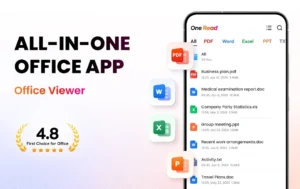
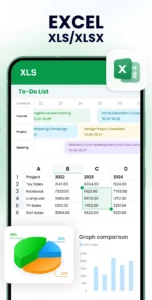
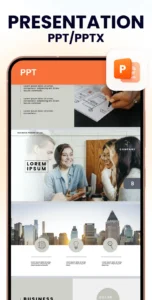
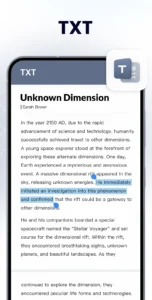
This application functions as a comprehensive office suite that supports PDF, DOC, DOCX, XLS, XLSX, PPT, and TXT files. By using the Document Reader – PDF Editor, you can view, sort, and manage your documents in one place. The interface is designed to be simple and lightweight, ensuring your device remains responsive even when handling multiple document types. Because the app does not require an internet connection for basic viewing, you can rely on it to open your important files anytime and anywhere.
Powerful PDF Tools and Conversion
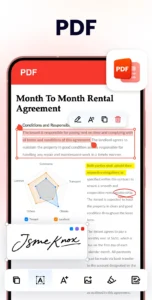
Beyond simple viewing, the app provides significant functionality for handling PDF files. You can merge, split, or compress your documents directly from your phone. If you need to transform your files, the app supports conversion between formats, such as Word to PDF, PPT to PDF, or converting images to PDF. Additionally, you can add e-signatures, highlight text, or underline content to keep your notes organized. Using the Document Reader – PDF Editor APK allows you to perform these technical edits without needing a desktop computer.
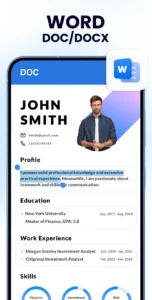
The Document Reader – PDF Editor also includes an Excel viewer and a Word viewer, which allow you to open and read your spreadsheets and documents with stable performance. Whether you are reviewing a report or reading a text file, the app ensures that your documents are displayed in a clean, readable layout. You can also use the MediaFire app to back up your important documents to the cloud once you have finished editing them. The app also features a dark mode to make reading in low-light conditions more comfortable.
Getting Started and Permissions
To begin using the app, download the APK and install it on your Android device. Upon opening, the app scans your storage to list your documents. Because the app needs to find and process your files, it requests the MANAGE_EXTERNAL_STORAGE permission on Android 11 and above. This permission is strictly for managing your documents. If you are preparing for a work call, you might also want to install Google Meet to coordinate with your team.
- Automatic file scanning across your device storage.
- Supports PDF, DOC, DOCX, XLS, XLSX, PPT, and TXT formats.
- Direct PDF tools for merging, splitting, and compressing files.
- Conversion capabilities for Word, PPT, and image files to PDF.
- Built-in file manager to rename, delete, and share documents.
Quick Facts
Strengths and Limitations
- Supports a wide range of formats including PDF, DOCX, and XLSX.
- Includes built-in tools for PDF conversion and editing.
- Organizes files automatically into a folder structure.
- Contains ads as part of the free model.
- Requires broad storage permissions to function correctly.
Who Should Install It?
This app is ideal for users who frequently handle different document types and need a single, free tool to read and convert them on the move. It is particularly useful for professionals or students who do not want to carry a laptop to view simple spreadsheets or text files. If you only deal with one specific format, such as simple text files, you might find the suite larger than necessary.
Is Document Reader – PDF Editor free?
Yes, the app is free to use and includes advertisements to support its development.
Can I use this app offline?
Yes, the application does not require an internet connection to view or manage your local files.
Which Android version is required?
The developer does not specify a minimum Android version, but the app uses features like MANAGE_EXTERNAL_STORAGE, which are standard on modern Android systems.
