


Dynamics 365 Field Service 3.26104.15
Microsoft Corporation
November 22, 2026
177.3 MB
3.26104.15
Android 11
com.microsoft.crm.crmphone.fieldServices
RELATED APPS






SCREENSHOTS
DESCRIPTION
Getting Started with Dynamics 365 Field Service
The Dynamics 365 Field Service app provides mobile workers with the tools needed to manage tasks in the field. Developed by Microsoft Corporation, this application connects directly to the Dynamics 365 platform. To begin, ensure your device is running Android 11 or higher. Once installed, you will need to sign in with your organization credentials to access your specific work data and schedules.
The app requests several permissions to function properly. These include access to your camera for recording work, location services to track service visits, and microphone access for audio notes. It also requires network state access to sync data back to your office when you are online. For those managing inventory or sales alongside their service tasks, consider checking out Kyte: POS, Online Store & Catalog as an additional business tool. If you need assistance with AI-driven queries during your workday, you might also look at Bing: Chat with AI & GPT-4 for quick information retrieval.
Key Features for Field Workers
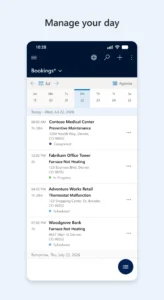
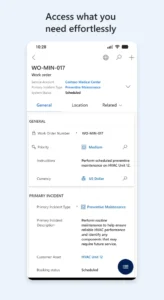
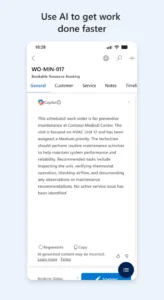
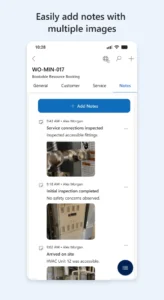
This application is built on the Microsoft Power Apps platform, allowing for high levels of customization. Field workers can view their assigned jobs, manage work orders, and update statuses in real time. The Dynamics 365 Field Service interface is designed for portability, keeping all necessary information in your pocket while you are on the move.
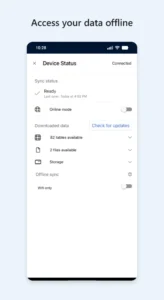
One of the primary benefits is the capability to work offline. If you travel to remote areas without an internet connection, you can still access and interact with your critical data. The app performs a periodic data sync to ensure the back-office team stays informed about the work performed as soon as you regain connectivity. This ensures that the next steps in a service workflow can proceed without unnecessary delays.
Quick Facts
Strengths and Limitations
Strengths:
- Reliable offline access for remote service locations.
- Customizable interface based on the Power Apps platform.
- Automatic data synchronization with back-office systems.
Limitations:
- Requires an existing organizational account to use.
- Large file size of 177.3 MB may require significant storage space.
- Extensive permission list required for full functionality.
Is This App Right for You?
Dynamics 365 Field Service is designed specifically for professionals working in the field who need to maintain a connection with their company’s CRM system. If your organization uses the Dynamics 365 ecosystem, this app will help streamline your daily operations. However, if you are an independent user or do not have a company-provided account, this application will not be useful for your needs.
Is this app free to download?
Yes, the application is free to download and install on your Android device.
Does it work without an internet connection?
Yes, the app features offline capabilities, allowing you to access and interact with data in remote areas. It will sync your updates with the office once you are back online.
What is the minimum Android version required?
The app requires Android 11 or higher to run.
