


Fammy - Blocksite 9.1.7.1023
November 26, 2026
63.6 MB
9.1.7.1023
Android 6.0
com.wondershare.famisafe.kids
RELATED APPS


SCREENSHOTS
DESCRIPTION
Managing Family Safety with Fammy – Blocksite APK
Fammy – Blocksite is designed for parents who want to guide their children toward healthier digital habits. As a companion to the main FamiSafe Parental Control app, this tool acts as the bridge between a parent’s device and the child’s smartphone. By installing the Fammy – Blocksite APK on the device you need to supervise, you gain clear visibility into online activities and location history. It is a practical solution for families aiming to create a balanced digital environment for their children.
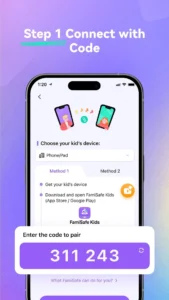
The core purpose of this app is to provide oversight without being intrusive. Parents can manage screen time, block inappropriate websites, and receive alerts about suspicious content. If you are looking for more ways to manage your family’s digital footprint, you can browse through whats.download to find other helpful utilities for your Android devices. Because it requires a pairing code, it ensures that only authorized parents have access to the monitoring features. This setup helps parents stay informed about their child’s digital interactions daily.
Key Features for Family Safety
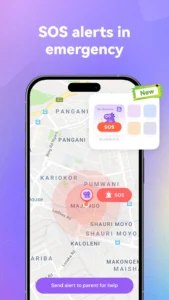
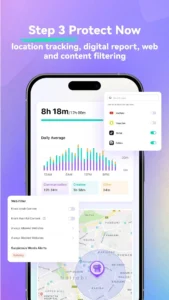
Fammy – Blocksite offers a suite of tools built to protect younger users from common online dangers. One primary feature is the GPS location tracker, which shows the child’s current location and historical whereabouts. This helps parents stay informed about their child’s safety when they are away from home. Another useful feature is the screen time controller, which allows you to set specific daily limits for device usage, such as adjusting limits for school days versus weekends. You can also look at Microsoft Family Safety if you are comparing different parental control options for your household.
Beyond basic tracking, the app provides insights into app usage and website visits. You can see which apps your child spends the most time in and monitor content on platforms like YouTube or TikTok. Additionally, the app monitors calls and messages, using keyword detection to flag potentially harmful interactions. The developers have recently added support for monitoring sensitive emojis to ensure that online conversations remain safe. This comprehensive approach helps kids cultivate healthy digital habits while creating a safe online environment for the entire family.
Getting Started and Permissions
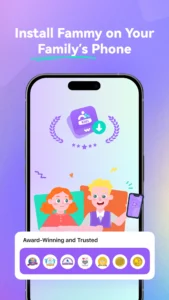
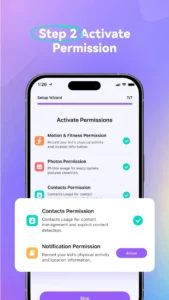
To begin, install the main FamiSafe Parental Control app on your own device and create an account. Next, install Fammy – Blocksite on the child’s device and use the pairing code to link them together. The app requires several permissions to function, including access to location, camera, microphone, and contacts. It also utilizes accessibility services and device administrator permissions to ensure the app cannot be uninstalled without your knowledge. For Huawei users, battery-saving mode must be disabled for the app to work correctly. If you need to manage your devices from a computer, you might find MirrorGo – Mirror Android scre to be a useful tool for your collection.
Quick Facts
Strengths and Limitations
Strengths:
- Supports cross-platform monitoring for iOS, Kindle, and PC.
- Allows management of up to 30 devices on a single account.
- Includes specialized monitoring for sensitive emojis and social media interactions.
Limitations:
- Requires consistent network connection for real-time tracking.
- May be flagged by children or removed if battery-saving modes are not managed properly.
- Installation is required on every device intended for supervision.
Frequently Asked Questions
Is this app free to use?
The app is free to download and install as a companion for the FamiSafe system.
Does it work on platforms other than Android?
Yes, FamiSafe can protect iPhone, iPad, Kindle, and PC devices, provided the software is installed on the child’s device.
Can I monitor multiple devices?
Yes, one parent account can manage up to 30 mobile devices or tablets simultaneously.
APP TRAILER
