

Parental Control App- FamiSafe 9.1.10.1106
November 26, 2026
109.2 MB
9.1.10.1106
Android 6.0
com.wondershare.famisafe
RELATED APPS


SCREENSHOTS
DESCRIPTION
Using Parental Control App- FamiSafe APK for Family Safety
As a parent, keeping track of your child’s digital life is a significant responsibility. Parental Control App- FamiSafe APK provides a comprehensive suite of tools designed to help you monitor device usage, track physical locations, and manage screen time effectively. This application acts as a vital bridge, allowing you to understand your child’s digital habits better while encouraging healthy device usage. By using Parental Control App- FamiSafe APK, you gain insights into their online activity to ensure they stay safe from digital threats.
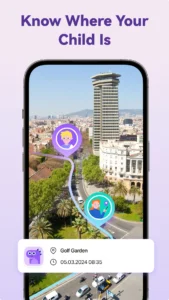
The app includes a GPS location tracker that shows you where your child is and their historical whereabouts. If you are looking for more options to help with your family’s digital organization, you can explore Microsoft Family Safety to compare features. It is important to find the right tool for your specific needs, and you can always visit whats download to learn more about how different software helps you stay connected and informed. The application is recognized for its effectiveness, having won awards such as the Best Products for Elementary Kids and Best Family Health & Safety Products in 2024.
Core Features for Enhanced Supervision
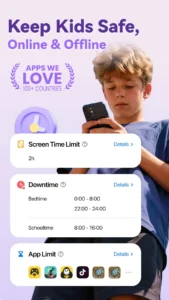
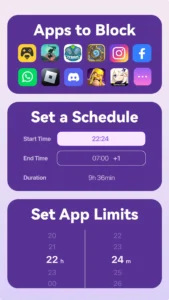
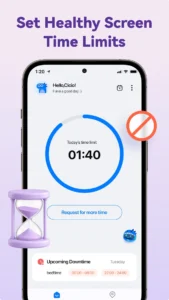
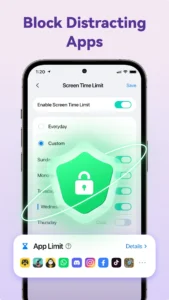
Parental Control App- FamiSafe APK offers several features to ensure your child stays safe. You can set customized screen time limits, which is useful for balancing school work and leisure time. The app also includes a web filter and app blocker that helps restrict access to inappropriate content, such as dating apps, gaming apps, and adult websites. Furthermore, the panic button allows your child to send an SOS alert with their accurate location if they feel threatened.
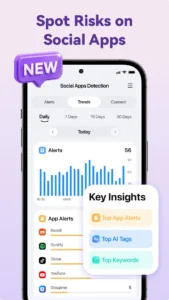
For communication safety, the app provides tools to monitor calls and messages, using keyword detection to alert you to potential dangers. You can also view social media activity, which helps you identify signs of cyberbullying or harmful interactions. Additionally, parents can use the remote screen capture feature to see how the device is being used in real time. The newly released one-way audio function even allows you to listen to your child’s surroundings to ensure they are in a safe environment.
Getting Started with Parental Controls
To begin using the service, you must install the main app on your phone and the FamiSafe Kids version on your child’s device. Once both are installed, you pair the devices using a code to start remote monitoring. The app requires several permissions to function, including access to your location, camera, and calendar. These permissions are necessary to provide accurate tracking, capture screenshots for monitoring, and manage app settings on the child’s device. You can also add other parents for co-parenting, and a single paid account can bind more than five children’s devices simultaneously.
Quick Facts
Strengths and Limitations
Strengths:
- Offers a wide range of monitoring tools including GPS tracking and social media oversight.
- Supports co-parenting by allowing multiple parents to manage the same child’s device.
- No advertisements are included in the application.
- Recognized by multiple parenting associations for safety and health.
Limitations:
- Requires installation of separate apps on parent and child devices.
- Extensive permissions are needed for the monitoring features to work correctly.
- Some advanced features like one-way audio and screen viewing require specific setup steps.
If you need to manage Android devices from a PC, you might also find MirrorGo – Mirror Android scre helpful for your technical toolkit. This app is best suited for parents who want an active role in their child’s digital life, but it may not be for parents who want a hands-off approach to device management.
Is this app free to use?
Yes, the app is free to download and use for your family management needs.
Does it work offline?
The app requires an internet connection to sync data and provide real-time updates and location tracking.
Which Android version is required?
You need a device running Android 6.0 or higher to install and run the application.
