

Gallery - Photo Gallery, Album 1.1.7
Litter Penguin
November 26, 2026
53.0 MB
1.1.7
Android 6.0
photovault.lock.album.picture.gallery
RELATED APPS




SCREENSHOTS
DESCRIPTION
Getting Started with Gallery – Photo Gallery, Album APK
Managing your media collection requires a tool that is both fast and secure. Gallery – Photo Gallery, Album by Litter Penguin provides a centralized hub for your photos and videos. To begin, you should download the Gallery – Photo Gallery, Album APK on your Android device running version 6.0 or higher. The app requests several permissions to function, including access to your media files, camera, and biometric sensors for locking private content. You will need to grant ‘All Files Access’ on Android 11 or newer to ensure that file encryption and organization features work correctly.
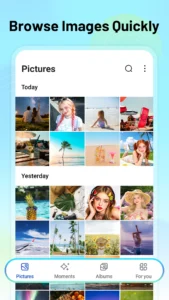
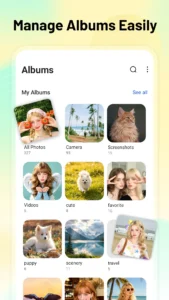
The app is built to handle various file types, including JPEG, PNG, GIF, MP4, and MKV. Once installed, the Gallery – Photo Gallery, Album interface automatically identifies existing media on your device. You can organize files into folders, rename items, or move them between your internal storage and SD card. If you are looking for more mobile tools to organize your digital life, you can visit whats download to explore additional utilities.
Key Features for Media Organization
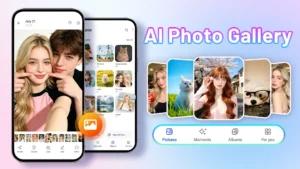
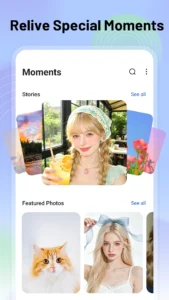
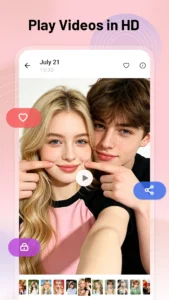
This app serves as an all-in-one media center. It allows for efficient file management through batch actions, where you can move, copy, delete, or share multiple files simultaneously. The built-in HD video player supports background playback, which is managed via foreground service permissions. You can also create magic stories from your memories and set custom album covers to personalize your experience. If you are interested in capturing high-quality images, you might also find the GCam: Google Camera app useful for your photography needs.
Beyond simple viewing, the app includes a professional photo editor. You can crop, resize, rotate, or mirror images, and adjust settings like brightness, contrast, and sharpness. You can also create collages with up to 18 images or add text, stickers, and frames to make your photos stand out. For users who want to add creative effects to their clips, InShot: Video Editor & Maker is another popular choice for mobile editing. The interface is designed to be efficient, allowing for faster browsing of your photo library with every update.
Private Security and Storage
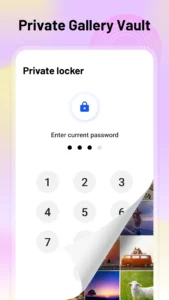
The standout feature of Gallery – Photo Gallery, Album is the private vault. This allows you to hide sensitive pictures and videos behind a PIN, pattern, or fingerprint lock. Once moved to the vault, these files are no longer visible in your system gallery or other third-party applications. This ensures that your private moments remain secure. The app also includes a cleanup tool to detect duplicate photos, large videos, and unnecessary screenshots to free up storage space. You can even establish security questions for unlocking your photo gallery, adding an extra layer of protection for your sensitive data.
Quick Facts
Strengths and Limitations
Strengths:
- Supports a wide range of image and video formats.
- Includes a built-in vault with biometric security options.
- Offers comprehensive editing tools and collage creation.
- Works 100% offline for privacy and data efficiency.
Limitations:
- The app is free but supported by advertisements.
- Requires several permissions, including storage and system-level access.
Who Should Use This App
This application is ideal for users who want to consolidate their media viewing, editing, and security into one package. If you frequently need to hide sensitive content or want a better way to organize large photo libraries, this tool is well-suited for your requirements. However, if you prefer a system-native gallery with zero ads or minimal permission requests, you might consider other options.
Is Gallery – Photo Gallery, Album free to use?
Yes, the app is free to download and use, though it is supported by advertisements.
Can I use this app without an internet connection?
Yes, the app works 100% offline, allowing you to manage your media without needing a data connection.
Which Android version is required?
The app requires Android 6.0 or higher to function properly.
