


Gallery - Photo Gallery, Album 3.7.2
Litter Penguin
November 26, 2026
33.7 MB
3.7.2
Android 6.0
picture.gallery.media.photo.album
RELATED APPS




SCREENSHOTS
DESCRIPTION
Organize Your Digital Memories with Gallery – Photo Gallery, Album APK
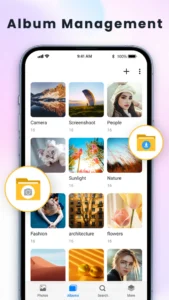
If you are looking for a comprehensive way to manage your growing collection of photos and videos, Gallery – Photo Gallery, Album by Litter Penguin offers a complete solution. This application acts as a central hub for your media, providing tools to organize, edit, and secure your files directly on your Android device. It is designed for users who want more than just a basic viewer, offering features like collage making and a private vault for sensitive content. By using Gallery – Photo Gallery, Album APK, you gain full control over how your visual memories are displayed, sorted, and protected.
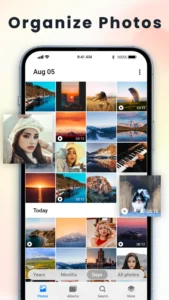
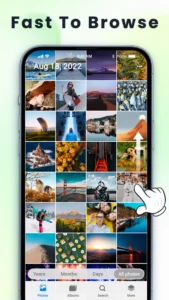
The app automatically detects all image and video files on your internal storage and SD card. It supports a wide variety of formats, including JPEG, PNG, MP4, MKV, and RAW, ensuring that almost any file you open will display correctly. Beyond simple viewing, Gallery – Photo Gallery, Album provides a way to declutter your storage by identifying similar photos, allowing you to free up space quickly. The latest updates have improved loading speeds and gesture support, making it faster to browse through large collections of media.
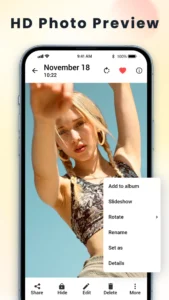
For those who enjoy customizing their images, the built-in photo editor includes tools for cropping, rotating, and resizing. You can apply filters, add stickers, or use the AI background eraser to modify your pictures in seconds. If you prefer to arrange your photos into layouts, the collage maker supports up to 18 images at once. Additionally, the app features a video player that supports background playback, which is useful for listening to video content while using other apps. This Gallery – Photo Gallery, Album APK ensures you have all the necessary tools in one place.
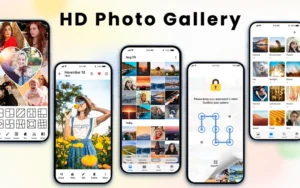
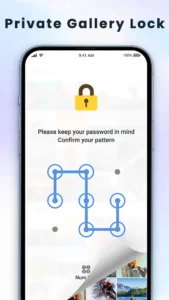
Security is important for many users, and this application addresses that with a dedicated private vault. You can hide specific photos and videos behind a password, pattern, or fingerprint lock. Files moved to this vault are hidden from the system gallery and other apps, ensuring your privacy is maintained. The app also includes a recycle bin feature to help recover files you might have accidentally deleted. To get started, simply download and install the APK file. You will need to grant specific permissions for the app to function correctly, such as access to your media files for viewing and the MANAGE_EXTERNAL_STORAGE permission for users on Android 11 or higher to enable encryption. The app also requests camera access for taking photos and fingerprint permissions to secure your private vault. If you are exploring options for your mobile device, you can find more tools on our android app download free page. For those who want to enhance their photography workflow, you might also consider trying GCam: Google Camera for improved image processing or using InShot: Video Editor & Maker to further refine your video projects.
Quick Facts
Strengths and Limitations
Strengths:
- Supports a wide range of file formats including RAW, SVG, and MKV.
- Includes a secure vault with password, pattern, and biometric protection.
- Features a versatile photo editor and collage maker for up to 18 photos.
- Allows for easy recovery of deleted media via the integrated recycle bin.
- Supports background video playback for uninterrupted viewing.
Limitations:
- The app is supported by advertisements.
- Requires extensive permissions, including file management access.
- Advanced encryption features require specific Android 11+ permissions.
Who Should Use This App
This app is ideal for anyone who wants a single, all-in-one media manager to replace their stock gallery. It is particularly well-suited for users who need to hide private photos or those who frequently edit and share collages. If you prefer a simple, ad-free experience, you may find the presence of advertisements distracting, but for most, the feature set compensates for this.
Is this app free to use?
Yes, Gallery – Photo Gallery, Album is free to download and use, though it is supported by advertisements.
Does it work offline?
Yes, the app manages your local device files and does not require an active internet connection to view, edit, or organize your media.
What Android version is required?
The app requires Android 6.0 or higher to function properly.
