


Photoroom: AI Photo & Video 2026.47.02
Photoroom AI Photo Editor
November 26, 2026
159.3 MB
2026.47.02
Android 10
com.photoroom.app
RELATED APPS





SCREENSHOTS
DESCRIPTION
Photoroom: AI Photo & Video is a powerful tool built for e-commerce sellers and content creators who need professional-grade visuals. Developed by Photoroom AI Photo Editor, this application allows you to generate high-quality product images and video ads directly from your mobile device. With over 100 million installs, it is a leading choice for managing digital catalogs. If you are looking for the latest version, you can download the Photoroom: AI Photo & Video APK to start transforming your photography workflow today.
Using the Photoroom: AI Photo & Video APK Features
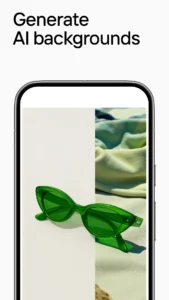
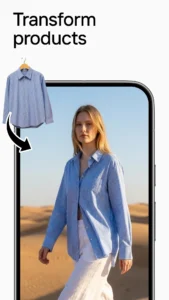
The app focuses on simplifying complex editing tasks through artificial intelligence. The primary feature is the background remover, which identifies subjects and replaces backgrounds in seconds. You can also utilize AI Fashion Models to display clothing on realistic digital figures or use the Ghost Mannequin tool to create professional apparel photos without a physical studio. Additionally, the app includes an ironing tool to smooth wrinkles from clothing images instantly and a recolor function to change product colors without needing another photoshoot.
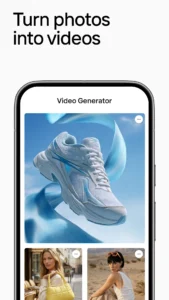
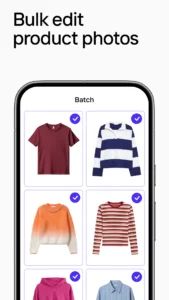
For those managing large inventories, the batch editing tool is essential. It lets you process hundreds of images at once, ensuring consistent lighting and sizing across your entire catalog. If you need to expand your social media presence, the Video Ad Maker generates engaging video content by combining product photos with AI-powered voice-overs and digital actors. You can also create product videos specifically for listings and marketing campaigns.
You can also use the whats.download portal to find other useful tools for your smartphone. The app allows you to preserve original product textures, colors, and logos, ensuring that every listing remains accurate. If you want to enhance your device’s native camera capabilities, you might also consider trying GCam: Google Camera to capture high-quality source images before processing them with Photoroom: AI Photo & Video.
Getting Started and Permissions
To begin, download the application and install it on your device. The app requires several permissions to function correctly. It needs access to your camera and media gallery to import photos for editing. It also uses network state and internet permissions to sync with services like Shopify or to process AI tasks in the cloud. Other permissions, such as microphone access, are used for the video ad creation features. The app also uses biometrics and fingerprint permissions for secure account access.
If you prefer to perform final edits on video projects, you can use apps like InShot: Video Editor & Maker to supplement your workflow. Please note that while the app is free to download, it includes in-app purchases to unlock advanced AI models, higher usage limits, and faster processing speeds. By using the Photoroom: AI Photo & Video APK, you gain access to a platform designed for Shopify, Amazon, Etsy, Depop, Poshmark, Vinted, Instagram, Facebook, and TikTok.
Strengths and Limitations
Strengths:
- Automated background removal and replacement for clean product shots.
- Batch processing for large product catalogs to save time.
- Integration with Shopify for direct store management and metadata updates.
- AI-driven tools for creating high-quality video advertisements.
- Accurate preservation of product textures, colors, and logos.
Limitations:
- Requires a stable internet connection for AI processing and cloud features.
- Advanced features and higher usage limits require a paid subscription.
- Large file size of 159.3 MB may impact devices with limited storage.
Frequently Asked Questions
Is this app free to use?
Yes, the app is free to download and use. However, some advanced features, premium templates, and higher processing limits require a paid subscription.
Does it work offline?
Most of the core AI editing and generation features require an active internet connection to process images and videos on the cloud.
Which Android version is required?
You must have Android 10 or higher installed on your device to use this application.
