

Camera for Android - HD Camera 2.5.9
Litter Penguin
November 26, 2026
31.0 MB
2.5.9
Android 6.0
photo.hd.camera.beauty.camera
RELATED APPS



SCREENSHOTS
DESCRIPTION
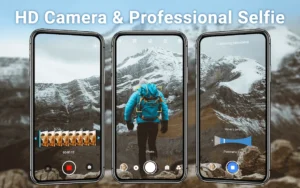
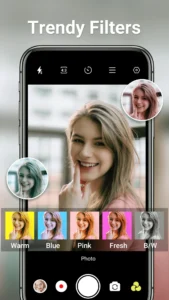
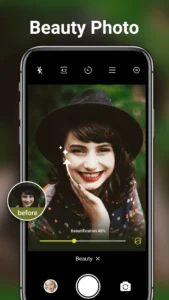
Are you struggling to capture high-quality photos with your default phone camera? Many stock camera apps lack the professional manual controls needed to handle low-light scenes or dynamic action shots. Camera for Android – HD Camera by Litter Penguin provides a comprehensive solution, offering advanced features like HDR, manual exposure adjustments, and over 200 real-time filters. By choosing to download the Camera for Android – HD Camera APK, you gain access to a tool designed to help you capture clear, natural-looking images and high-definition videos with ease on any compatible device.
Why Choose the Camera for Android – HD Camera APK?
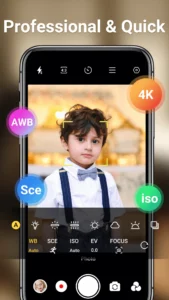
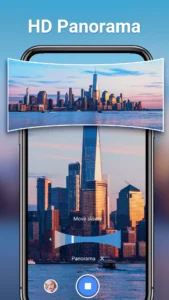
This application stands out by providing eight distinct shooting modes, including dedicated settings for night photography, panorama, and time-lapse. You can utilize the pro mode to manually adjust ISO sensitivity and white balance, ensuring your photos look accurate regardless of the lighting environment. The app also includes intelligent face detection and auto-stabilization to ensure your shots remain crisp even when you are on the move. Whether you are shooting in low-light or bright scenes, the powerful HDR mode helps you capture details that standard cameras often miss.
Beyond photography, the app functions as a complete creative suite. You can use the built-in editor to crop, rotate, and add stickers or text to your images. The collage maker allows you to select multiple photos and arrange them into layouts suitable for social media. Additionally, the integrated video cutter lets you trim your recordings with a single click, making it a versatile tool for mobile content creators. If you are looking for more advanced post-processing tools, you might also consider InShot: Video Editor & Maker for your editing needs.
Getting started with the Camera for Android – HD Camera APK is simple and quick. Once installed, the app will request various permissions to function correctly. It requires access to your camera to capture media, storage permissions to save your files, and location access if you choose to record geotags with your photos. It also uses network state permissions to manage ad services. For those who prioritize computational photography, you can also compare this experience with GCam: Google Camera to see which fits your device best. Visit our whats download APK site to find more useful tools for your smartphone.
The app includes several intelligent features to enhance your workflow. You can set the exact photo size, choose your preferred save path to manage storage, and overlay grids or golden ration lines for better composition. You can even use the volume key to trigger the shutter, turn off the optional shutter sound, or use a countdown timer for group shots. Camera for Android – HD Camera supports both front and back lenses, giving you full control over your mobile photography experience.
Strengths and Limitations
Strengths:
- Includes over 200 real-time filters for instant visual adjustments.
- Offers professional manual controls like ISO and white balance.
- Features a built-in collage maker and video trimming tools.
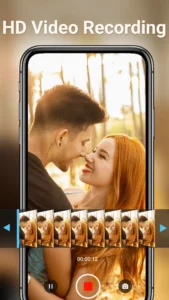
- Supports high-definition photo and video capture.
- Allows for silent shooting and volume key control.
Limitations:
- The app is ad-supported, which may affect the interface.
- Requires numerous permissions, including location and storage access.
This app is ideal for users who want more manual control over their photography than the standard system camera offers. It is also a good choice for those who want to edit photos and videos within the same app. However, if you prefer a minimalist interface without any advertisements or extra editing features, this might not be the right fit for your device.
Frequently Asked Questions
Is Camera for Android – HD Camera free to use?
Yes, the app is free to download and use, though it includes advertisements.
Does it work offline?
Yes, you can use the camera and editing features without an internet connection, though some ad-related services may require connectivity.
Which Android version is required?
The app requires Android 6.0 or higher to function properly.
