

RELATED APPS




SCREENSHOTS

DESCRIPTION
Powerful Editing Tools in Your Pocket
Photoshop Express Photo Editor is a mobile application from Adobe designed to make image and video editing simple for everyone. Whether you want to retouch a selfie, create a collage, or generate new images using AI, this app provides a suite of professional-grade tools. With over 100 million installs, it has become a go-to choice for users looking to transform their mobile photography quickly.
The app focuses on ease of use, allowing you to apply one-tap edits to your photos. You can easily access high-quality filters, beauty retouching tools, and graphic design features directly from your Android device. It is a versatile tool for anyone who wants to enhance their images before sharing them on social media platforms like Instagram or Pinterest.
Key Features for Creative Editing
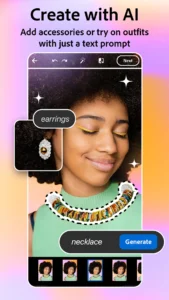
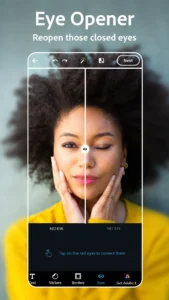
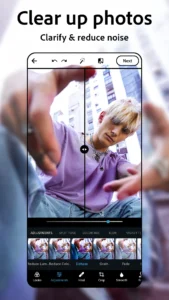
Photoshop Express Photo Editor offers a wide variety of features to help you improve your images. You can use the blemish remover and spot healing tools to clean up portraits, or use the background eraser to remove unwanted objects. The app also includes advanced AI capabilities, such as an image generator that creates stickers or entire images from your text prompts. You can even experiment with new looks by changing your hair color or adding digital makeup.
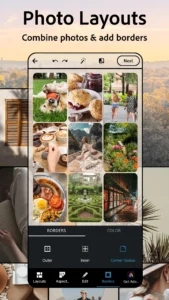
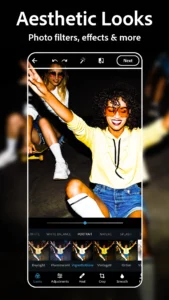
If you enjoy creating collages, the app provides pre-made grid layouts that make the process fast. You can add stickers, custom watermarks, and text overlays using various fonts to personalize your designs. For video enthusiasts, the latest version allows you to apply aesthetic looks to your clips. The app supports multiple file formats, including raw, TIFF, and PNG, ensuring your high-quality images remain sharp throughout the editing process.
Getting Started and Permissions
To begin using Photoshop Express Photo Editor, download and install the APK file on your device. Upon opening the app, you may need to sign in to access certain features. The app requests various permissions to function correctly, including camera access for taking photos, storage access to read your image and video files, and internet access to download filters or use cloud-based AI tools. It also requires location permissions for specific features and billing permissions if you choose to upgrade to the premium tier.
If you are looking for a reliable site to find apps, you can visit our free APK download library to explore more options for your phone. Once you have the app set up, you can start experimenting with the retro camera filters or the generative fill tool to change your photo backgrounds. For those who enjoy mobile photography, you might also want to check out GCam: Google Camera to enhance your device’s native shooting capabilities. If you need to edit longer clips, InShot: Video Editor & Maker serves as a great companion tool for your social media content creation.
Quick Facts
Strengths and Limitations
Strengths:
- Wide range of AI-powered tools for generation and background editing.
- Supports professional file formats like RAW and TIFF.
- Simple interface for quick, one-tap photo enhancements.
Limitations:
- The app requires several permissions for full functionality.
- Some advanced features are restricted to the premium subscription tier.
- The large file size may take up significant space on older devices.
Frequently Asked Questions
Is Photoshop Express Photo Editor free?
Yes, the app is free to download and use. However, it offers an optional premium subscription that unlocks exclusive features and more precise editing controls.
Can I use this app to edit videos?
Yes, the latest version includes features to edit videos with various aesthetic looks.
Does it support raw image files?
Yes, the app supports uploading images from multiple source formats, including raw, TIFF, and PNG.
