

Google Antigravity 2026.11.03.1014295909
Google LLC
November 22, 2026
2026.11.03.1014295909
com.google.android.apps.antigravity
RELATED APPS






SCREENSHOTS
DESCRIPTION
Get Started with Google Antigravity APK
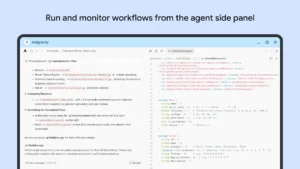
Google Antigravity is designed specifically for builders who need a dedicated mission control to manage autonomous workflows. Developed by Google Commerce Ltd, this platform allows you to steer and customize agents that operate in the background. If you are looking for the latest Google Antigravity APK, you will find it helps you turn intent into direct action. By co-optimizing with Gemini, the app makes it easier to streamline your development process on a Googlebook. This tool is built to handle the heavy lifting of project management for developers who want to move faster.
Core Features for Autonomous Work
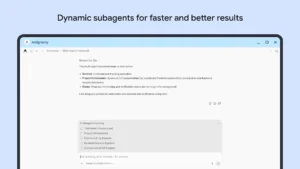
The primary strength of Google Antigravity lies in its ability to handle complex tasks without constant manual input. With the latest update, you can now use voice mode to command your agents, allowing for a hands-free experience while you focus on high-level project goals. The platform also supports remote agents and partner plugins found in the Marketplace, giving you the flexibility to expand your workspace capabilities significantly. By using the Google Antigravity APK, you can ensure your development environment is always up to date with the newest features.
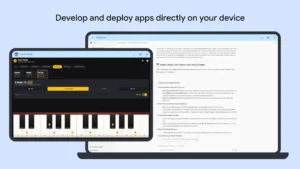
For developers, the app provides an environment to create and deploy applications directly on your device. Your agents are capable of writing, editing, and managing your code and project files independently. If you need to coordinate with your team during these development phases, you might find the Google Meet video conferencing tools helpful for remote collaboration. Once your projects are ready for distribution or storage, you can easily organize your assets using MediaFire to keep your files secure and accessible.
Installing and Managing Your Agents
To begin using Google Antigravity, simply download the APK and install it on your compatible Googlebook. The app is free to use and focuses on an agent-first approach to productivity. Because it manages files and code, ensure you are comfortable with the app accessing your local storage to perform its autonomous tasks. The integration with Gemini ensures that your instructions are processed accurately, turning your intent into functional code or managed project files. This dedicated mission control allows you to monitor all active agents from one central hub.
Strengths and Limitations
Strengths:
- Autonomous agent management for background tasks.
- Direct code creation and file management on the device.
- Integration with Gemini for intent-based automation.
- New support for remote agents and partner plugins.
Limitations:
- Requires a Googlebook for optimal performance.
- New features like remote agents require Marketplace connectivity.
Who Should Install Google Antigravity?
This app is built for developers and power users who want to automate their software deployment and file management. If you spend significant time writing code or managing project files, Google Antigravity can save you time by letting agents handle the repetitive work. However, if you are looking for a standard productivity app for general tasks, this platform might be more specialized than you need.
FAQ
Is Google Antigravity free?
Yes, the app is free to download and use.
What is new in the latest version?
The latest update introduces voice mode, remote agents, and support for partner plugins within the Marketplace.
Can I manage my code with this app?
Yes, the agents within the app are designed to write, edit, and manage your code and project files on your device.
