

Google app for Android TV 7.55.87+964183260.01
Google LLC
November 22, 2026
7.55.87+964183260.01
com.google.android.katniss
RELATED APPS






SCREENSHOTS
DESCRIPTION
Explore content on your TV with Google app for Android TV APK
The Google app for Android TV is a dedicated tool developed by Google Commerce Ltd to simplify how you find entertainment on your television. By providing a centralized hub for voice commands and discovery, it makes accessing movies, music, and apps straightforward. With over 500 million installs, this utility is a standard component for many users looking to optimize their TV experience.
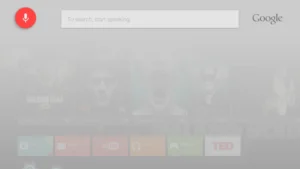
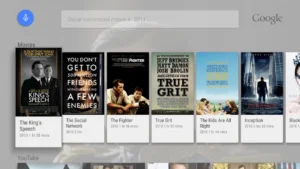
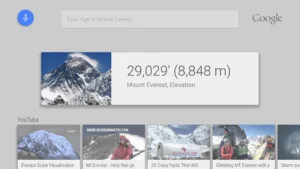
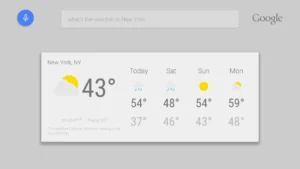
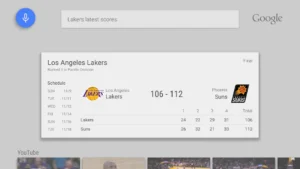
The core functionality of the Google app for Android TV revolves around speed and ease of use. You can use your voice to search for specific movies, television programs, or music tracks without typing. It allows for quick navigation through films, actors, artists, and albums, ensuring you spend less time searching and more time watching. Additionally, you can ask Google for quick facts about any topic, turning your screen into an information hub.
Beyond basic search, this tool helps you discover new content across various apps installed on your television. If you enjoy managing your device’s files, you might also find ZArchiver Pro Donate helpful for your organizational needs. The search capabilities are designed to integrate with your existing library, making it easier to jump into your favorite media quickly.
Key features of Google app for Android TV
The Google app for Android TV provides several features to improve your interaction with your smart TV:
- Voice Search: Quickly find content by speaking directly to your remote or connected device.
- Content Discovery: Easily browse through films, music, apps, and albums without manually switching between multiple services.
- Information Queries: Ask for quick facts on actors, artists, or general trivia.
- Cross-App Integration: Discover relevant content suggestions from various apps installed on your system.
If you are interested in running different types of software on your hardware, such as Minecraft Java: PojavLauncher, you will appreciate how well-optimized system tools keep your device running efficiently. The app is free to use and focuses on streamlining your media consumption.
Getting started with Google app for Android TV
To begin, simply download the Google app for Android TV directly to your device. Once installed, ensure your television has a microphone-enabled remote or a paired mobile device to utilize the voice search features. The app is designed to run in the background, providing search results as soon as you trigger a query. Because it is a system-level tool, it remains active to ensure that your voice commands are processed immediately. There are no additional costs associated with this service, as it is provided free by the developer.
Strengths and limitations
- Strengths: Fast voice search, deep integration with TV content, and free to use.
- Limitations: Requires a compatible Android TV device and a microphone for voice input.
Frequently Asked Questions
Is the Google app for Android TV free?
Yes, the app is free to download and use on compatible Android TV devices.
Does this app work offline?
No, the search and discovery features require an active internet connection to retrieve content and process voice queries.
Can I use this on any Android device?
This version is specifically designed for the Android TV platform and may not function as intended on standard smartphones or tablets.
