


Google Authenticator 7.2
Google LLC
November 22, 2026
7.7 MB
7.2
com.google.android.apps.authenticator2
RELATED APPS






SCREENSHOTS

DESCRIPTION
Secure Your Online Accounts with Google Authenticator APK
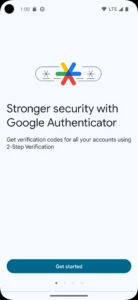
Protecting your personal data starts with more than just a password. If you are worried about unauthorized access to your sensitive accounts, Google Authenticator provides an essential second step of verification. Developed by Google Commerce Ltd, this tool adds a layer of security that helps keep your identity safe online. By installing the Google Authenticator APK, you ensure that your logins remain private and shielded from potential intruders.
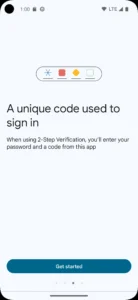
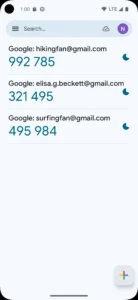
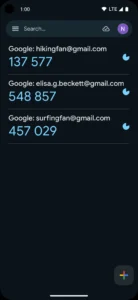
When you use Google Authenticator, you generate a unique code directly on your Android device. This code acts as a second key that is required every time you sign in to your registered accounts. Since these codes are generated locally, they work even when your phone is in airplane mode or lacks a cellular signal. This reliability makes the Google Authenticator APK a dependable choice for users who travel frequently or operate in areas with poor network coverage.
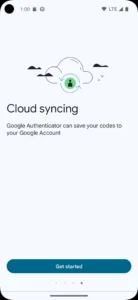
The latest version allows you to sync your codes to your Google Account. This feature ensures that you retain access to your accounts even if you lose your primary device. You can easily manage multiple accounts within a single interface, removing the need to juggle different security apps for various services. If you need to manage compressed files, you might find ZArchiver Pro Donate helpful for your file organization needs.
Setting up the app is quick. You can add accounts automatically by scanning a QR code provided by the service you want to protect. The app supports both time-based and counter-based code generation methods, giving you flexibility. If you are interested in running different software environments on your phone, you could look into Minecraft Java: PojavLauncher for your gaming sessions.
The app requires specific permissions to function correctly. It uses the camera to scan QR codes for quick setup, and it requests biometric access to secure the interface. Other permissions like network state and internet access are used for syncing your data, while wake lock and GServices ensure the app runs reliably in the background.
Core Functionality and Benefits
- Cloud syncing allows you to access your codes across multiple devices.
- Privacy Screen protects your information with biometric or PIN locks.
- QR code scanning provides a simple way to add new accounts instantly.
- Supports both time-based and counter-based verification methods.
- Enables offline code generation without requiring a data connection.
Strengths and Limitations
- Syncs codes across devices to prevent permanent lockout.
- Supports biometric protection for the app interface.
- Works offline without needing cellular data.
- Requires manual setup for each individual account.
- Needs 2-Step Verification enabled on the target account.
Who should install Google Authenticator?
This app is ideal for anyone who uses 2-Step Verification to protect their email, social media, or banking accounts. It is a reliable choice for users who want a free, official solution from Google. However, if you do not use 2-Step Verification on your online services, this app will not be useful for your daily security needs.
Frequently Asked Questions
Is Google Authenticator free to use?
Yes, Google Authenticator is completely free and does not contain paid tiers or advertisements.
Does it require an internet connection?
No, the app generates codes locally on your device, so you can sign in even without a network or cellular connection.
How do I protect the app itself?
You can use the Privacy Screen feature to require your screen lock, PIN, or biometric authentication to open the app.
What happens if I lose my phone?
Because the latest version supports cloud syncing, you can recover your codes by signing into your Google Account on a new device.
