


Google Chat 2026.11.09.1017134655.Release
Google LLC
November 22, 2026
42.7 MB
2026.11.09.1017134655.Release
com.google.android.apps.dynamite
RELATED APPS






SCREENSHOTS

DESCRIPTION
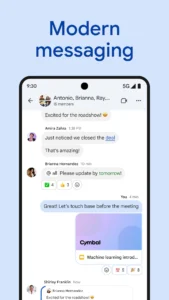
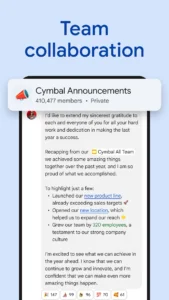
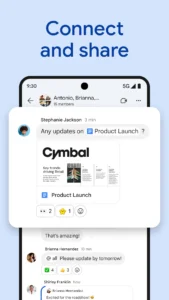
Communication struggles often slow down team projects and create silos within an organization. If your team uses Google Workspace, the Google Chat APK provides a centralized hub to replace fragmented conversations. Developed by Google Commerce Ltd, this application allows you to manage direct messages, group chats, and project collaboration in one secure place. By using the Google Chat APK, you can ensure your team stays connected and focused on shared objectives without losing track of important updates.
Features for Modern Teams
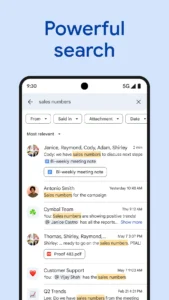
AI integration is central to the experience. You can use Gemini to generate conversation summaries, which helps you catch up on missed discussions quickly. The app also supports automatic message translation across more than 120 languages, making it easier for global teams to work together. If you need to manage finances alongside your team, you might find Cash Book- daily expenses useful for tracking costs separately.
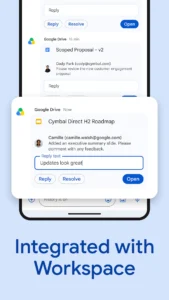
Another core strength is the tight integration with other Google Workspace tools. You can link files from Drive, manage Calendar invites, or track tasks directly within your conversation threads. The app supports smart chips, allowing you to quickly reference people and files. For teams that need to manage physical sales or inventory, the Kyte: POS, Online Store & Catalog tool can be a helpful addition to your business workflow.
Getting Started and Permissions
To install the Google Chat APK, ensure your device has enough storage for the 42.7 MB package. Upon first launch, the app requires several permissions to function correctly. It needs access to your camera and microphone for video and audio messages. It also requests access to storage to manage files, as well as notification permissions to ensure you do not miss urgent requests. The app uses network state and internet access to maintain real-time connectivity.
- Camera and Microphone: Required for sharing audio and video messages.
- Storage: Needed to save and retrieve shared documents or media files.
- Network State: Used to maintain a constant connection for real-time updates.
- Notifications: Necessary for alerting you to new messages and mentions.
Quick Facts
Strengths and Limitations
- Strengths: Deep integration with Drive and Meet, AI-powered search and translation, and high-level security with zero-trust architecture.
- Limitations: Some premium features require a paid subscription, and the app is primarily designed for Workspace customers.
Who Should Use This App
This application is ideal for teams already using the Google Workspace ecosystem. It provides the tools necessary to keep communication organized and secure. If your organization does not use Google Workspace, you may find that Google Chat is not the right fit for your specific communication needs.
Is Google Chat free?
Yes, the app is free to use. However, some advanced features require a paid Google Workspace subscription.
Does it work offline?
No, the app requires an active internet connection to synchronize messages and files in real-time.
Can I use this for personal chats?
Google Chat is included as part of Google Workspace for consumer, education, and business customers, allowing for broad usage within those supported accounts.
