

Google Classroom 3.70.1008934421
Google LLC
November 22, 2026
31.8 MB
3.70.1008934421
Android 8.1
com.google.android.apps.classroom
RELATED APPS





SCREENSHOTS
DESCRIPTION
How Google Classroom APK Simplifies Education
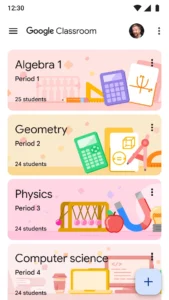
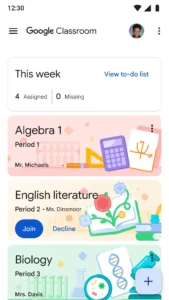
Google Classroom by Google Commerce Ltd is a platform designed to bridge the gap between learners and instructors. Whether you are in a school or learning remotely, this app helps you manage your educational tasks efficiently. By moving to a paperless environment, you can create classes, distribute assignments, and communicate with your group in one place. With over 100 million installs, Google Classroom has become a staple tool for students and teachers who need to stay organized.
Key Features for Students and Teachers
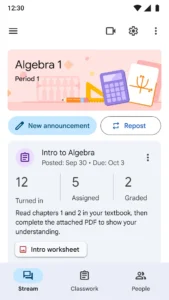
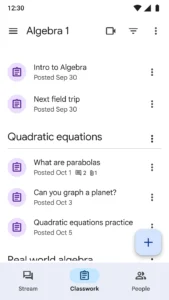
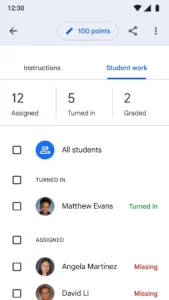
The app provides a streamlined workflow that saves time for everyone involved. Teachers can set up classes in minutes by adding students directly or sharing a unique class code. Once a class is active, the paperless assignment workflow allows educators to create, review, and mark work quickly. Students benefit from a dedicated assignments page where they can track all their tasks. Furthermore, all class materials, such as documents and photos, are automatically saved into organized folders in Google Drive.
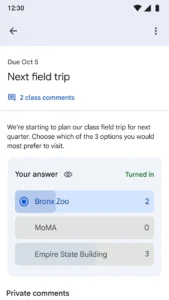
Communication is another core strength of the app. Teachers can send announcements and start discussions instantly, while students can share resources or answer questions directly on the class stream. If you enjoy creative learning tools, you might also find Toca Mini helpful for your educational journey. The app is also highly secure, as it does not contain ads and does not use your data for advertising purposes. For students looking for extra academic support, Brainly: Homework Help provides a great way to find answers to complex questions.
Getting Started and Permissions
To begin using Google Classroom, simply download the APK and sign in with your account. The app requires specific permissions to function correctly. It uses the camera to let you post photos or videos to your class, and storage access is needed to attach files or enable offline support. Network state and internet permissions are necessary for syncing your work, while vibration and wake lock settings ensure you receive timely notifications. Other permissions like account selection allow you to switch between different profiles easily.
Strengths and Limitations
- Strengths: Ad-free experience, automatic Google Drive file organization, and quick class setup.
- Limitations: Requires a Google account and relies on internet connectivity for most features.
Who Should Use This App?
This app is ideal for teachers who want to digitize their classroom workflow and students who need a central place to track assignments and collaborate. If you prefer a simple, secure environment for academic communication, Google Classroom is an excellent choice. Those who do not have a Google account or who require a platform with more social media-style features might want to look elsewhere.
Frequently Asked Questions
Is Google Classroom free?
Yes, the app is free to use and contains no advertisements.
Does it work offline?
The app includes offline support, allowing you to access certain materials when you are not connected to the internet.
What is the latest version available?
The version provided here is 3.70.1008934421, last updated on Oct 29, 2026.
