

RELATED APPS





SCREENSHOTS
DESCRIPTION
Is the BabyBus TV:Kids Videos & Games APK right for your child?
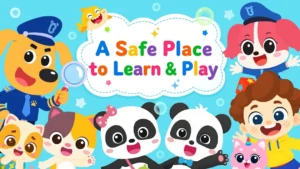
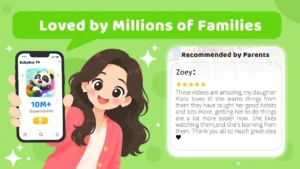
BabyBus TV:Kids Videos & Games provides a dedicated library of content designed for children aged 0 to 6. Developed by Google Commerce Ltd, this application offers a vast collection of nursery rhymes, cartoons, and interactive segments. It aims to spark creativity and curiosity while teaching kids about daily habits, safety, and basic cognition through popular characters like Baby Panda Kiki and Miumiu. By choosing the BabyBus TV:Kids Videos & Games APK, you gain access to a safe digital environment for your little ones to explore.
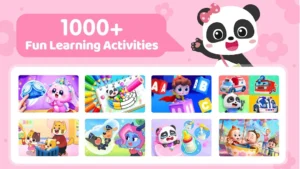
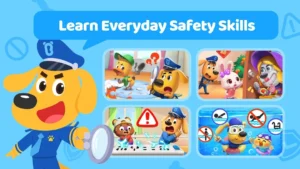
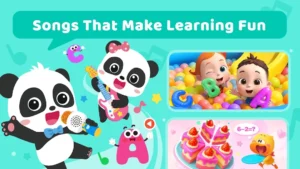
When you use BabyBus TV:Kids Videos & Games, your child gains access to over 600 episodes of content. The app covers a wide range of educational topics. These include learning about dinosaurs, numbers, shapes, and colors. It also features lessons on personal hygiene, such as brushing teeth or taking a shower, and emotional development topics like caring for others. If you want a different creative outlet for children, you may also like the Toca Mini app for your device.
What features does the app offer for parents and kids?
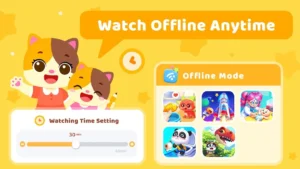
The application includes specific tools to help parents manage screen time. You can set a viewing duration limit to ensure your child watches only for as long as you allow. Furthermore, BabyBus TV:Kids Videos & Games supports offline viewing, meaning you can download videos ahead of time. This is helpful for long trips or areas without a stable internet connection. All viewing history is saved automatically, allowing your child to return to their favorite episodes easily.
Security and privacy are prioritized within the app to protect your children. The interface features full-screen playback to keep your child focused on the educational content. While the app is free to use, it does contain advertisements. For students looking for academic support, the Brainly: Homework Help tool provides a different approach to learning.
How do you get started with the app?
To begin using this service, download the file and install it on your Android device. The app requires several system permissions to function correctly. It needs access to your network and Wi-Fi state to stream or download videos, and the internet permission is necessary for general connectivity. It also uses wake lock to keep the screen active during playback and billing permissions for potential in-app purchases. Notifications are requested to keep you updated on new content.
Quick Facts
Strengths and Limitations
- Offers over 600 episodes of educational content for children aged 0-6.
- Includes parent-focused controls for viewing time and offline playback.
- Features a large library of cartoons and nursery rhymes.
- The app is free but includes advertisements.
- Requires significant storage space at 328.6 MB.
- Requires various permissions for network and billing functionality.
Frequently Asked Questions
Is BabyBus TV:Kids Videos & Games free to use?
Yes, the app is free to download and watch, though it includes advertisements.
Can I use this app without an internet connection?
Yes, you can download the videos within the app to watch them offline later.
Who is the target audience for this app?
The content is specifically designed for children between the ages of 0 and 6.
APP TRAILER
