

RELATED APPS






SCREENSHOTS
DESCRIPTION
Getting started with Learn to Read – Duolingo ABC
To begin your child’s educational journey, you can install the Learn to Read – Duolingo ABC APK directly on your Android device running version 5.1 or higher. The setup process is straightforward, requiring standard permissions to function correctly. The app uses network access and internet connection to sync content, while wake lock ensures the screen stays active during lessons. It also uses notification permissions to keep you updated on progress, ensuring a smooth experience for both parents and young learners.
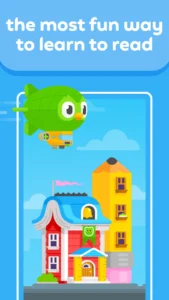
Once installed, the app provides a tailored environment for children from preschool to first grade. Because it is designed by literacy experts, the interface is intuitive and safe for children to navigate independently. You do not need to worry about hidden costs or distractions, as the app is entirely free to use without advertisements or in-app purchases.
Interactive learning features
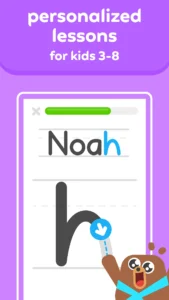
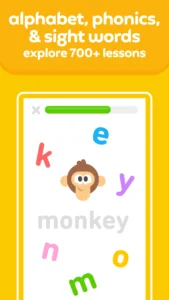
The app offers over 700 hands-on lessons that cover phonics, sight words, and vocabulary. By utilizing multi-sensory activities like letter tracing and drag-and-drop prompts, Learn to Read – Duolingo ABC keeps children engaged while they build essential literacy skills. Each lesson is broken down into bite-sized segments, making it easy for toddlers and early school-age children to stay focused without feeling overwhelmed.
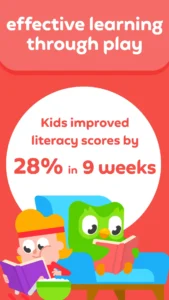
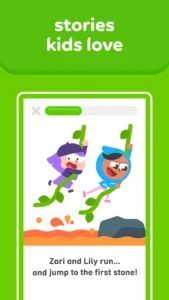
Beyond standard lessons, the app includes delightful stories for kids that highlight words as they are spoken. This feature helps children connect sounds to written text, improving their reading comprehension over time. If you are looking for other creative tools, you might also like Toca Mini for character building or Brainly: Homework Help for older students needing academic support.
Offline access and flexibility
One of the strongest benefits of Learn to Read – Duolingo ABC is its ability to function offline. This means your child can continue practicing reading and writing while on a plane, in a car, or anywhere without an active internet connection. The app is built to be a reliable companion for learning at home or on the go, ensuring that educational content is always available when needed.
Strengths and limitations
- Completely free with no ads or in-app purchases.
- Includes over 700 bite-sized, expert-designed lessons.
- Supports offline learning for use anywhere.
- Limited to English language literacy skills.
- Requires Android 5.1 or higher.
Who should use this app?
This app is perfect for parents of children in pre-K, preschool, kindergarten, or first grade who want a structured, gamified approach to literacy. It is ideal for families seeking an ad-free environment that prioritizes child safety. If your child is just starting to sound out words or is already building sight word vocabulary, the personalized lessons in Learn to Read – Duolingo ABC will adapt to their current pace.
Is the app free to use?
Yes, the app is free to use and does not contain any advertisements or in-app purchases.
Can I use the app without internet?
Yes, the app features offline learning capabilities, allowing your child to play and learn even when you do not have a network connection.
What age group is this for?
The content is specifically designed for children in preschool, kindergarten, and first grade.
