


StoryKit: Bedtime Stories 30.0.0.0.71
Meta Platforms, Inc.
November 22, 2026
36.0 MB
30.0.0.0.71
Android 8.0
com.meta.littledreamwright
RELATED APPS





SCREENSHOTS
DESCRIPTION
How does StoryKit: Bedtime Stories APK work for your family?
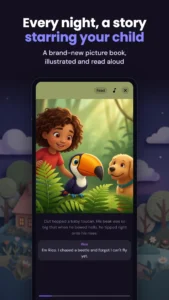
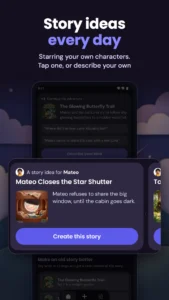
StoryKit: Bedtime Stories is an innovative tool from Meta Platforms, Inc. designed to turn your child into the hero of their own nightly adventure. By using artificial intelligence to generate unique narratives and illustrations, this app ensures you never run out of fresh content for bedtime. Instead of reading the same books repeatedly, you can now build a custom library that grows with your family.
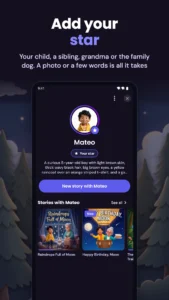
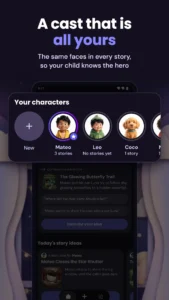
The app allows you to create characters based on your child, siblings, or even the family pet. Once you add these characters, they remain consistent throughout different stories, helping your child recognize the hero in every new adventure. If you want to explore other creative ways to engage your children, you might also like to look at Toca Mini for character building fun. The app handles the heavy lifting by generating stories from your chosen ideas or simple descriptions, making it a convenient solution for busy parents.
Key features for nightly storytelling
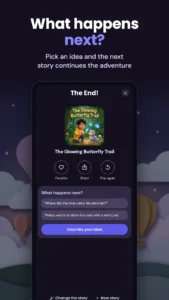
The core of StoryKit: Bedtime Stories lies in its ability to adapt to your needs. You can choose from daily story prompts or describe your own plot in a single sentence. Because the stories are generated fresh, you can ask for different endings, adjust the age level, or swap the cast members at any time. When you are traveling, you can download these stories for offline viewing, ensuring your child has their favorite tales during car rides or trips.
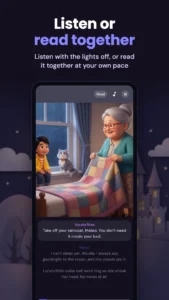
Listening options are also flexible. Every story comes with a read-aloud function, and the watch mode will automatically turn pages for your child. If you prefer a traditional approach, you can save any story as a printable PDF picture book. For students who need help with their studies, you can check out Brainly: Homework Help to support their learning journey. The app also features a new tablet-optimized design, making it easier to pick up where you left off in your reading sessions.
Getting started with StoryKit
To begin, install the StoryKit: Bedtime Stories APK and set up your family profiles. The app requires several permissions to function correctly, including camera and record audio access to help you create character profiles from photos. It also uses storage and network permissions to download stories and manage your saved content. Biometric and fingerprint permissions are used for secure access, while wake lock ensures the screen stays on during your reading time.
Strengths and limitations
- Personalized stories featuring your own children and family members.
- Offline viewing support for travel and portable reading.
- Easy creation of printable PDF books.
- Requires several device permissions for advanced features like audio recording.
- Relies on AI-generated content which may vary in style.
Frequently Asked Questions
Is StoryKit: Bedtime Stories free?
Yes, the app is free to use.
Can I read stories without an internet connection?
Yes, you can download stories for offline viewing so they are ready when you are on the go.
Does this app work on tablets?
Yes, the latest version has been optimized for tablet screens to improve your reading experience.
APP TRAILER
