

Google Cloud 26.10.280800
Google LLC
November 22, 2026
34.3 MB
26.10.280800
Android 7.0
com.google.android.apps.cloudconsole
RELATED APPS






SCREENSHOTS
DESCRIPTION
Manage Your Infrastructure with the Google Cloud APK
The Google Cloud app, developed by Google Commerce Ltd, provides a mobile interface for users to oversee their cloud services directly from an Android device. If you manage infrastructure or deploy applications, this tool allows you to stay connected to your environment without needing to be at your desk. You can monitor system health, check billing, and respond to critical alerts in real time. It is a powerful utility for professionals who need to keep their projects running smoothly while moving between locations.
Key Features for Cloud Management
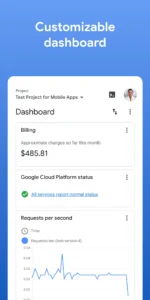
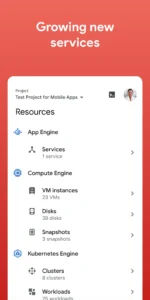
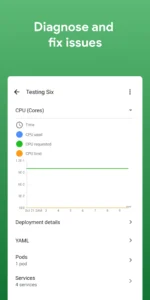
The Google Cloud APK offers several tools to help you maintain control over your resources. You can create a custom dashboard to get an immediate overview of your specific services, ensuring you see the most important data first. The application also provides monitoring for Compute Engine and App Engine resources, including the ability to SSH directly into your virtual machines. This feature is particularly useful when you need to troubleshoot a server issue urgently.
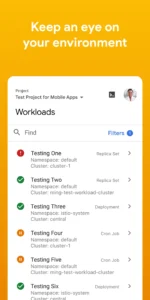
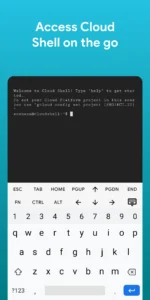
Beyond monitoring, the app provides access to Cloud Shell, which lets you perform gcloud operations directly from your phone. You can also view and respond to incidents or errors as they appear, which helps reduce downtime significantly. If you need to manage local files while working on your cloud projects, you might also find ZArchiver Pro Donate useful for handling various archive formats. For those who enjoy testing different software environments, consider exploring Minecraft Java: PojavLauncher to run Java-based applications on your device.
Quick Facts and Technical Details
Getting Started and Permissions
To use Google Cloud, simply install the APK and sign in with your account. The application requires several permissions to function correctly, including internet access to connect to your resources and network state monitoring. It also requests access to your accounts and credentials to verify your identity. Other permissions, such as read and write storage, are used for managing files, while Bluetooth and audio recording permissions support specific feature integrations within the interface. These permissions ensure that you can maintain a secure and functional connection to your backend services at all times.
Strengths and Limitations
Strengths:
- Direct access to SSH into virtual machines from your mobile device.
- Customizable dashboard for personalized service monitoring.
- Ability to execute gcloud operations via integrated Cloud Shell.
- Real-time incident and error reporting.
Limitations:
- Requires a valid Google Cloud account to function.
- Extensive permission requirements including storage and microphone access.
- Limited to users already utilizing Google Cloud services.
Who Should Use This App
This app is designed for developers, system administrators, and IT professionals who need to manage their cloud infrastructure remotely. If you are responsible for monitoring resources or responding to incidents, this tool is essential. However, if you do not have an active Google Cloud account or do not manage remote server environments, you will not find a use for this application.
Frequently Asked Questions
Is the Google Cloud app free?
Yes, the app is free to download and use for managing your services.
Can I perform gcloud commands?
Yes, the app includes access to Cloud Shell, which allows you to perform gcloud operations.
Does it allow me to manage my billing?
Yes, you can check your billing, status, and critical issues directly through the app.
What data does the app monitor?
You can monitor the state of your Compute Engine and App Engine resources, along with general service status and error reports.
