

Google Family Link 2.109.0.2026w46.1017290262
Google LLC
November 22, 2026
28.7 MB
2.109.0.2026w46.1017290262
com.google.android.apps.kids.familylink
RELATED APPS






SCREENSHOTS
DESCRIPTION
Getting Started with Google Family Link APK
Google Family Link is designed for parents who want to guide their children through their digital experiences. If you are looking for a reliable way to monitor activity, the Google Family Link APK provides the necessary tools to establish digital ground rules that work for your household. Developed by Google Commerce Ltd, this application assists in fostering healthy digital habits by allowing you to monitor activity and set boundaries. Whether you need to limit screen time or track a device, this app serves as a central hub for your family’s digital safety.
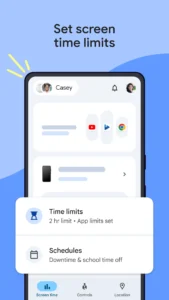
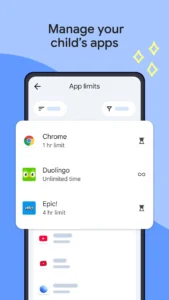
The application allows you to manage screen time by setting daily limits or specific downtime schedules. You can also monitor which apps your child uses and set individual time limits for specific applications. If you need to manage content, you can block specific apps or require approval before your child installs new items from the Google Play Store. These features give you the flexibility to adjust restrictions as your child grows. For more advanced device management, some users explore tools like ZArchiver Pro Donate to handle file organization, though Google Family Link remains the primary choice for parental supervision.
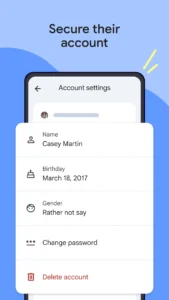
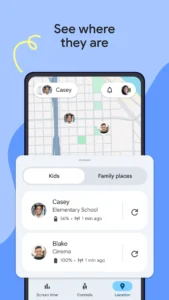
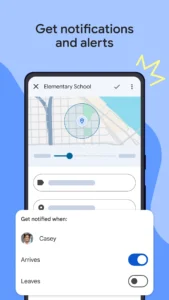
Beyond screen time, Google Family Link offers effective security and location features. You can view your child’s device location on a map and receive notifications when they arrive at or leave specific places. The app also helps you manage privacy settings, edit personal account information, or reset a password if your child forgets it. You can even ring the device if it is misplaced or check its remaining battery life to ensure they stay connected while on the go.
Security and Content Filtering
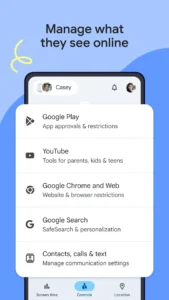
Keeping your child safer online involves controlling the content they encounter. You can set up filters for Google services, including Chrome, YouTube, and Search, to block inappropriate websites. The app requires several permissions to function, such as accessing your network state, reading your contacts, and receiving notifications. These permissions ensure that the app can effectively communicate between the parent’s device and the supervised child’s account. If you are managing other technical aspects of your family’s devices, you might also look into utilities like Minecraft Java: PojavLauncher, but always ensure your child’s supervised account settings are updated within the main Google Family Link interface. The latest version introduces a simplified design and a dedicated screen time tab to make navigation easier for busy parents.
Installation and Requirements
To use this service, you must have a supervised Google account for your child. The app works by linking your account to theirs, allowing you to manage their digital life remotely. Please note that the app requires various system permissions, including access to record audio for specific features, internet access for real-time monitoring, and the ability to receive boot completed signals to maintain a connection. You should regularly review the apps on your child’s device and disable those you do not want them to use.
Strengths and Limitations
Strengths:
- Comprehensive tools for setting daily screen time and app usage limits.
- Real-time location tracking for supervised devices.
- Ability to manage Google account settings and app permissions remotely.
- Simplified design makes it easier to navigate settings.
Limitations:
- Some pre-installed system apps cannot be disabled.
- Location tracking requires the supervised device to be powered on and connected to the internet.
- Purchase approvals are limited to the Google Play billing system.
Frequently Asked Questions
Is the Google Family Link app free to use?
Yes, the app is free to download and use for managing supervised Google accounts.
Does it work while offline?
No, features like location tracking and remote management require the supervised device to have an active internet connection through data or Wi-Fi.
Who should install this app?
This app is ideal for parents who want to supervise their children’s digital activity, manage app installations, and keep track of device locations. It is not intended for users who do not wish to use supervised Google accounts.
