


Google Sheets 1.26.463.00.90
Google LLC
November 22, 2026
70.2 MB
1.26.463.00.90
com.google.android.apps.docs.editors.sheets
RELATED APPS






SCREENSHOTS
DESCRIPTION
How to Get Started with the Google Sheets APK
Getting your data organized is simple when you install the Google Sheets APK on your Android device. Developed by Google Commerce Ltd, this tool allows you to create, edit, and collaborate on spreadsheets while on the go. To begin, simply download the file and ensure you have an active Google account, as the app requires permissions like GET_ACCOUNTS and USE_CREDENTIALS to manage your files. The app also uses INTERNET and network state permissions to ensure your data stays synced across all your devices. Because the app integrates with your system, it requests permissions such as RECORD_AUDIO and READ_CONTACTS to facilitate specific sharing and communication functions within the spreadsheet environment.
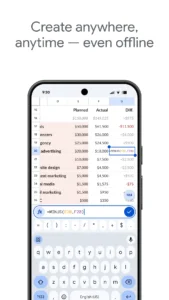
Once you sign in, you can immediately create new files or open existing ones. The app automatically saves your work as you type, so you never have to worry about hitting a save button. You can also work offline, which is a major benefit for users who travel frequently. If you need to coordinate with a team, you might also find Google Meet useful for your professional communication needs.
Key Features for Data Management
The Google Sheets application provides a comprehensive set of tools for handling numbers and text. You can format cells, enter data, sort lists, and insert complex formulas to calculate results. The app also supports viewing charts and using find/replace functions to manage large datasets. These features allow you to maintain control over your information regardless of where you are located.
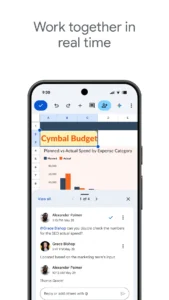
Collaboration is a core strength of this software. You can share your spreadsheets with others and work in the same document at the same time. If you need to manage larger files or backups, you can also explore MediaFire as a companion for your data storage. The app even allows you to add and respond to comments directly within the sheet to keep your team aligned.
Smart Tools and Compatibility
The Google Sheets APK includes smart suggestions that help you get insights fast, insert charts, and apply formatting without manual effort. A major advantage for many users is the ability to open, edit, and save Excel files directly, making it easy to transition between different software environments. For those using Google Workspace, the app offers deeper integration, including enterprise-grade security and the ability to build custom solutions for your specific business requirements. You can analyze data from other business-critical tools and see changes as they occur for every collaborator on your project.
Strengths and Limitations
Strengths:
- Automatic saving ensures no data loss during your work session.
- Full compatibility with Microsoft Excel files for easy transitions.
- Real-time collaboration with team members anywhere in the world.
- Offline access for editing files without an internet connection.
Limitations:
- Requires many device permissions to function correctly.
- Some advanced features are locked behind a Google Workspace subscription.
Who Should Install This App
This application is perfect for students, professionals, and anyone who needs to manage lists or data on a mobile device. If you frequently need to view or edit spreadsheets while away from your computer, the Google Sheets APK is an essential tool. However, if you rarely work with tables or data-heavy documents, you may not find much use for it.
Frequently Asked Questions
Is the app free to use?
Yes, the core application is free, though it is part of the Google Workspace ecosystem which offers additional features for subscribers.
Can I work without an internet connection?
Yes, you can create, view, and edit files while offline, and the app will sync your changes once you reconnect.
Does it support Excel files?
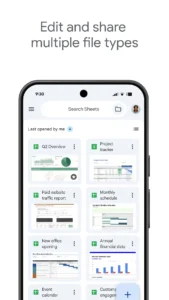
Yes, you can open, edit, and save files in the Microsoft Excel format directly within the app.
