

Google Slides 1.26.463.01.90
Google LLC
November 22, 2026
86.8 MB
1.26.463.01.90
com.google.android.apps.docs.editors.slides
RELATED APPS






SCREENSHOTS
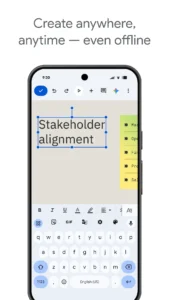
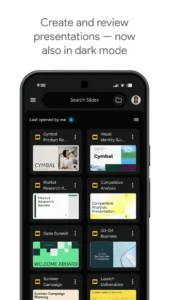
DESCRIPTION
Managing Presentations with Google Slides APK
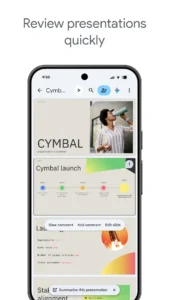
It can be difficult to manage your professional or academic presentations when you are away from your primary computer. Whether you need to make last-minute changes before a meeting or want to start a new project from your tablet, the Google Slides APK offers a direct solution. Developed by Google Commerce Ltd, this application allows you to build, edit, and share presentations directly from your mobile device without needing a desktop setup. When you download the Google Slides APK, you gain access to a powerful tool designed for mobile productivity that keeps your work synchronized across all your devices.
The app provides a robust suite of features for creating professional content on the go. You can create new slides from scratch or open and edit existing files, including PowerPoint documents. Because Google Slides saves your progress automatically as you type, you never have to worry about losing your work if your connection drops or the device shuts down unexpectedly. This reliable backup system ensures your files are always ready when you are, allowing you to focus on your content rather than technical interruptions. If you need to make beautiful slides quickly, the app provides smart suggestions to help you design your layout instantly.
Collaboration and Presentation Features
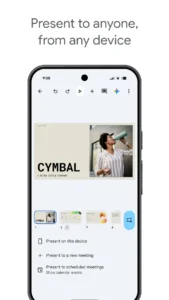
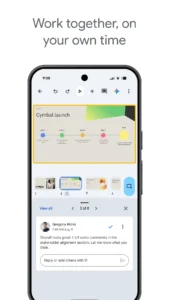
Working with others is a core component of the app. You can share your files with teammates or clients, allowing multiple people to collaborate on the same presentation in real time. The app makes it easy to add and respond to comments, ensuring that feedback is handled quickly and efficiently. If you need to host a meeting, you can present directly from your phone. Scheduled meetings automatically appear, allowing you to join video calls and share your slides with ease. For those who need to coordinate meetings effectively, consider using Google Meet to manage your video communications alongside your visual presentations.
The app is designed to work across various platforms, meaning you can start a file on your computer and finish it on your Android device. If you prefer to manage your project assets in a different environment, you might look into MediaFire to handle your file storage needs. Google Slides ensures that your business partners, team members, or external contacts can view or edit your work based on the permissions you set. This level of control is essential for modern project management.
Getting Started with Permissions
To use the Google Slides APK effectively, the app requires several permissions to function correctly. These permissions allow the app to integrate with your existing mobile environment and provide a smooth experience. Below are the primary permissions the app utilizes:
- Calendar: Used to join video calls from calendar invites.
- Camera: Used for camera mode in video calls and to insert images taken with the camera.
- Contacts: Used to give suggestions of people to add to files and share with.
- Microphone: Used to transmit audio in video calls.
- Storage: Used to insert images and to open files from USB or SD storage.
Quick Facts
Strengths and Limitations
- Automatic saving ensures no data loss.
- Supports PowerPoint file editing.
- Real-time collaboration with team members.
- Requires various device permissions for full functionality.
- Some advanced features require a Google Workspace subscription.
Is the app free to use?
Yes, the application is free to download and use for creating and editing presentations.
Does it work without an internet connection?
Yes, you can work on your slides even when you are offline.
Can I open PowerPoint files?
Yes, the app supports opening, editing, and saving PowerPoint documents.
