


LINE Official Account 7.2.3
LINE (LY Corporation)
November 22, 2026
47.2 MB
7.2.3
Android 10
com.linecorp.lineoa
RELATED APPS






SCREENSHOTS



DESCRIPTION
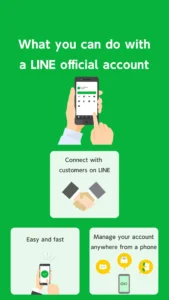
Managing customer communication is often a challenge for small business owners. If you struggle to keep track of client inquiries or need a way to reach your followers, the LINE Official Account APK provides a dedicated solution. Developed by LINE (LY Corporation), this application allows you to separate your personal messages from your professional interactions. By using this tool, you can broadcast information to your customer base and manage individual chats directly from your smartphone. If you are looking for the latest LINE Official Account APK, this version offers a reliable way to connect with your clients.
Connecting with your customers via LINE Official Account APK
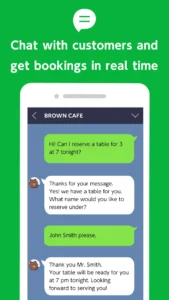
When you use LINE Official Account, you gain access to a suite of tools designed for professional engagement. You can send broadcast messages to everyone who has added your business as a friend, making it easier to share updates or promotions. The app also features a chat function for direct communication, along with an auto-reply feature for times when you are unavailable to respond immediately. To help you organize your business operations, you might also consider tools like Kyte: POS, Online Store & Catalog for managing inventory and receipts.
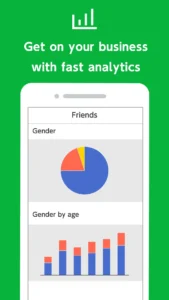
Beyond basic messaging, the app includes an account page where you can highlight detailed business information for your clients. You can invite team members to help with management by designating them as Sub Admins. Furthermore, the application provides statistics so you can monitor the performance of your messages and account growth. If you are also tracking your company finances, you can use apps like Cash Book- daily expenses to keep your records in order.
Getting started and permissions
To begin using the service, download the LINE Official Account APK and install it on your device. The app requires several permissions to function correctly, including access to your camera, microphone, and storage for media files. It also requests location access and Bluetooth to support its various communication features. Because it manages real-time alerts and calls, the app needs permission to run foreground services and post notifications. Always review these settings during installation to ensure the app can perform its tasks.
Quick facts
Strengths and limitations
- Free to create and use an official business account.
- Includes professional tools like broadcast messaging and auto-replies.
- Provides access to management statistics.
- Requires Android 10 or higher.
- Requests a wide variety of permissions, including microphone, camera, and location access.
Who should install this app?
This app is ideal for business owners who already use the LINE platform and want to engage their customers through a dedicated professional channel. If you need to manage multiple staff members for customer support or want to track how your followers interact with your content, this is the right tool for you. However, if your business does not operate on the LINE network, you may find other platforms more suitable for your specific needs.
Is the app free to use?
Yes, any LINE user can create an official account for free.
Does it work offline?
The app requires an active internet connection to send messages, receive chats, and sync your statistics.
Which Android version is required?
You must have Android 10 or higher installed on your device to run the app.
