


Magic Pointer
RELATED APPS






SCREENSHOTS
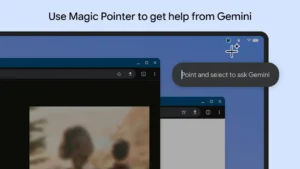
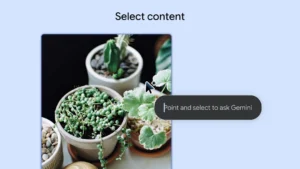
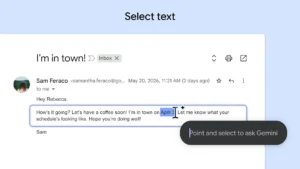
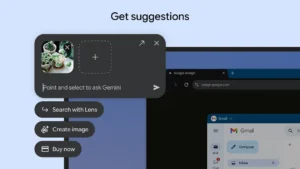
DESCRIPTION
How does Magic Pointer APK change your screen interaction?
Do you ever wish you could simply point at an element on your display to understand it better? Magic Pointer, developed by Google Commerce Ltd, is designed to bridge the gap between your on-screen content and helpful AI insights. By letting you select items directly on your interface, this Magic Pointer APK connects you to Gemini to provide relevant, contextual assistance instantly.
Using Magic Pointer is easy for anyone looking to increase their efficiency. Once installed, the application allows you to highlight specific text, icons, or images. The system then analyzes your selection and generates AI suggestions, helping you get the information you need without leaving your current app. If you frequently use tools like Google Meet for work, this added layer of context can help you resolve questions about shared files or text segments much faster.
Key features of Magic Pointer APK
The primary function of this tool is to simplify how you interact with your device. Instead of manually searching for information, you can use the pointer to trigger an analysis of whatever is currently visible. This is particularly useful when you are viewing complex documents or images. For those who manage large amounts of data, you might also find utility in pairing this workflow with MediaFire to organize your files while you work.
The application relies on integration with Gemini, which acts as the engine behind the suggestions. This means that as the AI improves, your ability to extract meaning from your screen improves as well. Magic Pointer keeps your focus on the task at hand by handling the background analysis of your selected content.
Getting started with the app
You can begin using Magic Pointer by downloading the package. Since it is a free application, there are no upfront costs to access its core AI features. When you first launch the app, ensure your device is running a compatible version of Android to maintain performance. You should grant the necessary accessibility services so the app can see and analyze your screen content properly.
Quick facts
The following table outlines the current status of the application based on available data:
Strengths and limitations
- Strengths: Instant AI-powered contextual suggestions, simple interface for quick selection, free access to advanced assistance.
- Limitations: Requires active interaction for each selection, dependent on AI response times.
Who should use this app?
If you are a student, professional, or power user who spends hours on your Android device and needs quick answers, this tool is built for you. It is ideal for people who want to bridge the gap between static screen elements and dynamic AI information. However, if you prefer a minimalist interface without AI overlays, you might find this extra layer unnecessary for your daily workflow.
Is Magic Pointer free to use?
Yes, the app is free to install and use for its intended purpose of providing contextual AI suggestions.
Does it work with all applications?
The app is designed to work across your Android interface, though functionality may vary depending on the specific app you are currently viewing.
