


Managed Home Screen 2.2.0.116464
Microsoft Corporation
November 22, 2026
15.2 MB
2.2.0.116464
Android 8.0
com.microsoft.launcher.enterprise
RELATED APPS






SCREENSHOTS
DESCRIPTION
Setting Up Managed Home Screen for Corporate Devices
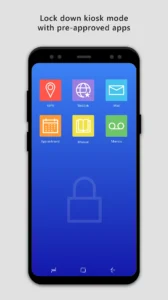
Managed Home Screen is a specialized application from Microsoft Corporation designed for corporate-owned devices. It functions as a replacement for your standard Android launcher, specifically enabling Multi App Kiosk mode for organizations that use Microsoft Intune. This tool allows IT departments to lock down devices to a specific, controlled set of applications and configurations.
You cannot use this app as a standalone tool for personal device customization. It is intended strictly for devices enrolled in a managed environment. If your company provides you with a device, they will handle the deployment of Managed Home Screen to ensure you only have access to the resources required for your specific work tasks.
Key Enterprise Features
This application provides administrators with several tools to control the mobile work environment. By replacing the default home screen, it creates a secure space where device activities are restricted based on settings pushed from the cloud. Some of the core capabilities include:
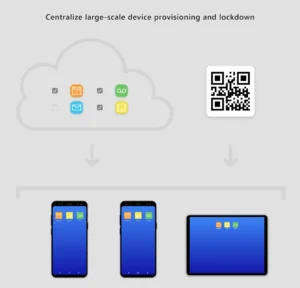
- Centralized Deployment: IT teams can manage large-scale rollouts of devices from a single dashboard.
- Kiosk Mode: The app enforces a restricted environment where only pre-approved applications are visible or accessible.
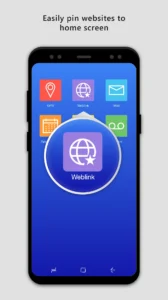
- Web Integration: Administrators can pin specific websites directly to the home screen for quick access.
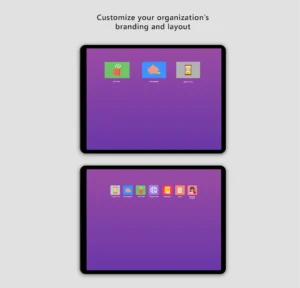
- Layout Customization: The home screen appearance and app arrangement can be configured remotely to meet organizational standards.
For other business needs, you may also consider using Kyte: POS, Online Store & Catalog to manage retail inventories and sales. If your organization also uses Microsoft tools for productivity, you might interact with Bing: Chat with AI & GPT-4 for search and assistance tasks on supported devices.
Installation and Requirements
The Managed Home Screen app requires Android 8.0 or higher. Because this is a system-level application, it requests a wide variety of permissions, including access to contacts, storage, camera, location, and system settings. These permissions allow the IT administrator to manage the device, push updates, and maintain the secure kiosk environment. You do not need to configure these settings manually; they are managed by your organization’s IT policy.
Strengths and Limitations
Strengths:
- Provides a secure, locked-down interface for enterprise use.
- Allows remote configuration of device layouts and pinned web links.
- Simplifies large-scale management for IT administrators.
Limitations:
- Not intended for personal use; requires a Microsoft Intune subscription.
- Requires extensive system permissions to function as a launcher.
- Individual users cannot change settings or bypass the kiosk restrictions.
Frequently Asked Questions
Is this app free to download?
Yes, the app is free, but it only functions within an organization that is subscribed to Microsoft Intune management services.
Can I use this on my personal phone?
No, this app is designed for corporate-owned devices managed by an organization. It will not work for individual users.
What should I do if I have issues?
If you are an employee using this app, contact your company’s IT administrator for support. Do not contact Microsoft, your device manufacturer, or your network operator.
