


Meta Business Suite 580.0.0.64.106
Meta Platforms, Inc.
November 22, 2026
102.4 MB
580.0.0.64.106
com.facebook.pages.app
RELATED APPS






SCREENSHOTS

DESCRIPTION
Get the Meta Business Suite APK for Business Growth
Meta Business Suite is the official tool from Meta Platforms, Inc. designed to help you grow your business and reach more people. When you download the Meta Business Suite APK, you gain a professional hub for your digital operations. Whether you are managing a Facebook Page or an Instagram account, this application provides a centralized location to handle your social media presence directly from your mobile device. It is a powerful resource for anyone managing professional accounts who needs to stay organized while on the move.
Centralized Content Management
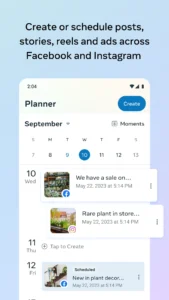
Meta Business Suite allows you to create, schedule, and manage your posts and stories across your connected Facebook and Instagram accounts. By handling your content from a single interface, you save time and keep your brand voice consistent across different platforms. You can also monitor notifications and your daily to-do list to ensure you never miss an important update from your audience. This helps maintain a constant flow of communication with your followers, ensuring your brand stays relevant and visible in a competitive digital space.
Customer Interaction and Automation Features
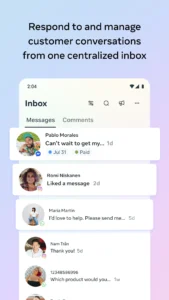
Connecting with customers is essential for any business. With Meta Business Suite, you can respond to messages and comments from all your channels in one place. The app supports automated responses, which helps you stay active without being glued to your screen. Furthermore, you can initiate real-time calls with your contacts directly through the interface, providing a direct line of communication for your clients. Here are the primary ways you can interact with your customers using the app:
- Respond to messages from Facebook and Instagram in one unified inbox.
- Set up automated replies to common questions to save time.
- Make real-time calls to customers and business contacts.
- Manage comments on your posts and stories effectively.
Analyzing Performance and Insights
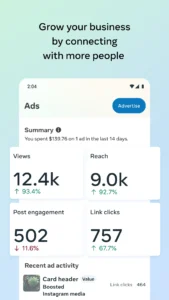
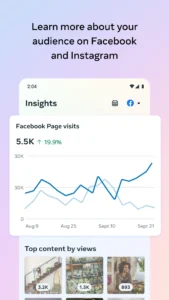
Understanding what your audience prefers is critical to growth. The app provides detailed insights into how people interact with your stories, ads, and posts. By reviewing these metrics, you can refine your strategy and create content that truly resonates with your followers. For those looking to manage additional aspects of their operations, you might consider Kyte: POS, Online Store & Catalog for inventory needs or Cash Book- daily expenses to track your financial records, which helps keep your business organized alongside your social media efforts.
Getting Started and Permissions
To use Meta Business Suite, download the installer and sign in with your Meta-linked credentials. Because this app connects deeply with your device’s communication features, it requires several permissions. These include access to your camera and microphone for calls, storage access for media, and location services to provide relevant insights. It also uses biometric permissions to help keep your account secure. The app is built to handle complex tasks, so it requests broad access to system functions to ensure all features like media uploads, real-time calling, and notifications function as intended.
Quick Facts
Strengths and Limitations
- Strengths: Centralized management for Facebook and Instagram, powerful automation tools for messaging, and detailed performance insights.
- Limitations: Requires a wide range of device permissions, large file size, and necessitates an active account with Meta.
Who Should Use This App
This tool is ideal for small business owners, social media managers, and content creators who need to maintain an active presence on Facebook and Instagram. If you only manage a personal profile, this tool may be more than you need. It is built specifically for users who must juggle multiple professional channels and audience interactions simultaneously, providing a professional dashboard for everyday business tasks.
Is this app free?
Yes, Meta Business Suite is available for free.
Does it work offline?
The app requires an active internet connection to sync messages, posts, and analytics data in real time.
Can I manage both Facebook and Instagram?
Yes, the app is designed to manage posts, stories, and messages for both platforms within a single dashboard.
What Android version is required?
The developer has not specified a minimum Android version for this release.
