


Microsoft Defender: Antivirus 1.0.9511.0102
Microsoft Corporation
November 22, 2026
98.6 MB
1.0.9511.0102
Android 11
com.microsoft.scmx
RELATED APPS






SCREENSHOTS
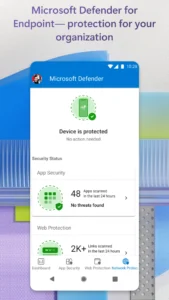
DESCRIPTION
Protecting Your Digital Life with Microsoft Defender: Antivirus APK
If you are looking for a unified way to manage your mobile security, Microsoft Defender: Antivirus provides a comprehensive solution. Developed by Microsoft Corporation, this application helps individuals and families stay ahead of digital threats. Whether you are using your phone at home or while traveling, the Microsoft Defender: Antivirus APK works to keep your data and devices safer from malicious activity. It is designed to be your primary tool for managing security across your personal and professional digital environment.
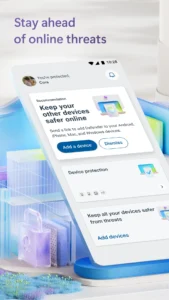
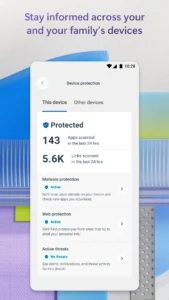
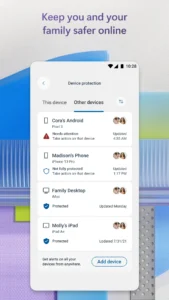
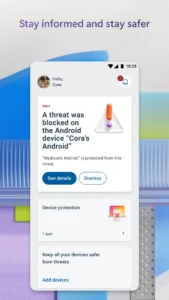
The primary role of Microsoft Defender: Antivirus is to provide continuous scanning against malware, spyware, and ransomware. It acts as an all-in-one security dashboard where you can monitor the status of your family devices and receive timely alerts if a threat is detected. By using the app, you gain access to expert guidance and push notifications that help you take action against suspicious apps. It is built to be a reliable layer of defense that runs in the background to ensure your mobile experience remains protected.
Key Security Features and Advanced Protection
The app includes several core features to maintain your device health. It performs continuous antivirus scanning to catch new and existing threats. If the software finds a malicious app, it alerts you across your connected devices and provides clear steps to uninstall the threat. Furthermore, it uses accessibility services to block dangerous websites you might encounter in SMS, emails, or browsers, preventing you from visiting malicious links.
To support advanced security, the app utilizes Android’s VpnService. This allows Microsoft Defender: Antivirus to block phishing links locally on your device, ensuring your data remains private. This method is the only Android-approved way to apply organizational security policies and provide secure access to work apps. If you are managing files alongside your security tools, you might also find ZArchiver Pro Donate useful for handling archives. For users interested in gaming utilities, Minecraft Java: PojavLauncher offers a unique way to run Java applications on your mobile device.
Getting Started and System Permissions
To use Microsoft Defender: Antivirus, you must have a Microsoft 365 Personal or Family subscription, or a valid work or school account. After installation, the app requests several permissions to function correctly. It requires access to your location, network states, and external storage to scan files and monitor Wi-Fi security. It also uses foreground services to stay active and protect your device in real-time. The app also uses permissions like QUERY_ALL_PACKAGES and REQUEST_DELETE_PACKAGES to identify and remove malicious software effectively. These permissions are essential for the app to maintain its level of security oversight on your device.
Strengths and Limitations
- Continuous malware and ransomware scanning.
- Centralized dashboard for family device security.
- Local processing for VPN-based web protection.
- Requires an active Microsoft 365 subscription.
- Requires Android 11 or higher.
- Extensive permission requirements for system-level monitoring.
Who Should Use This App
This app is ideal for current Microsoft 365 subscribers who want to extend their security coverage to their mobile devices. It is well-suited for families who want to monitor the security status of multiple devices from one place. However, if you do not have a Microsoft 365 subscription, this app will not provide the intended functionality. Users looking for a standalone, free-for-all antivirus without subscription requirements should look elsewhere.
Frequently Asked Questions
Is Microsoft Defender: Antivirus free to use?
The app is free to download, but it requires a Microsoft 365 Personal or Family subscription to function for individuals.
Does it work offline?
While some scanning occurs locally, the app requires a network connection to receive threat updates and manage security policies.
Which Android version is required?
You must be running Android 11 or higher to install and use this application.
