


Microsoft Edge Beta 159.0.4402.10
Microsoft Corporation
November 22, 2026
303.0 MB
159.0.4402.10
com.microsoft.emmx.beta
RELATED APPS






SCREENSHOTS
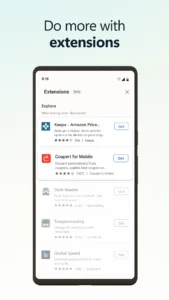
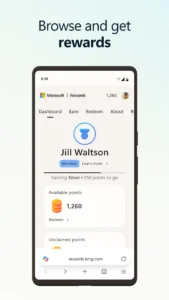
DESCRIPTION
Get Early Access with Microsoft Edge Beta APK
For users who want to test upcoming features before they reach the general public, Microsoft Edge Beta is an excellent choice. Developed by Microsoft Corporation, this browser allows you to experience the latest tools and interface updates on your Android device. By using this preview version, you provide direct feedback that helps shape the final release of the browser. Installing the Microsoft Edge Beta APK lets you be among the first to see what is coming to the platform.
The app offers a glimpse into the future of mobile browsing. Because it is a beta channel, you can expect to see new functionalities that are still in testing. Many users choose Microsoft Edge Beta to ensure their browsing experience stays ahead of the curve while maintaining a familiar interface. You can compare its performance with other communication apps like Telegram to see how different platforms handle web content and data.
Key Features of the Preview Channel
This version includes the core browsing engine found in the stable release, plus experimental additions. You get the same synchronization capabilities that allow you to pick up where you left off on your PC. The browser focuses on privacy and speed, providing a way to access your favorite websites. If you are looking for a reliable alternative, you might also consider Google Chrome: Fast & Secure for your daily navigation needs.
Microsoft Edge Beta handles your bookmarks, passwords, and history by syncing them across your signed-in devices. Because it is a preview build, you may encounter unique settings or UI changes that are not yet available in the standard version. It is built to be a primary browser for enthusiasts who want to contribute to the development process.
Installation and Permissions
You can install this app directly from the store. Upon first launch, the app requires a long list of permissions to function correctly. These include access to your camera and microphone for web-based media, location services to provide relevant search results, and external storage to manage downloads. It also requests access to your accounts and biometric sensors for secure sign-in and credential management.
The app uses background services to handle data sync and notifications, ensuring you stay updated while browsing. Please review the permission list during installation to understand how these tools interact with your device hardware.
Quick Facts
Strengths and Limitations
Strengths:
- Early access to new browser features and UI improvements.
- Synchronization with Microsoft accounts across devices.
- Direct channel for providing feedback to the developers.
Limitations:
- The app size is significant at 303.0 MB.
- Experimental features may occasionally cause instability.
- Requires a wide range of system permissions for full functionality.
Who Should Use This App?
This browser is ideal for tech enthusiasts, developers, and users who like testing new software. If you rely on a stable browser for critical work, you might prefer the standard version instead. However, for those who want to influence the direction of the product through feedback, this is a great tool.
Frequently Asked Questions
Is Microsoft Edge Beta free?
Yes, the app is free to download and use.
Does it work offline?
The browser allows you to view previously cached pages offline, though full internet connectivity is required for most features.
Is my data safe in the Beta version?
The app follows the same security standards as the stable version, but users should be aware that preview builds are intended for testing purposes.
