


Microsoft Events 1.1.11
Microsoft Corporation
November 22, 2026
120.4 MB
1.1.11
Android 11
com.msevents
RELATED APPS






SCREENSHOTS
DESCRIPTION
Getting Started with Microsoft Events
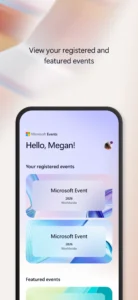
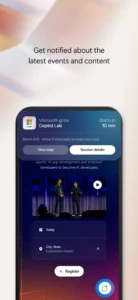
The Microsoft Events app is your primary hub for participating in conferences like Build, Ignite, and the AI Tour. To get started, download the Microsoft Events APK and ensure your device runs Android 11 or higher. Upon installation, the app requests several permissions to function correctly. It requires camera access for interactive features and uses biometric or fingerprint authentication to keep your session data secure. It also needs access to your network state and Wi-Fi status to maintain stable connections during live streams, along with notification permissions to ensure you do not miss key updates or schedule changes.
Organizing Your Event Agenda
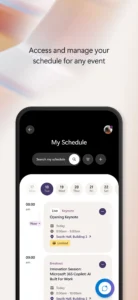
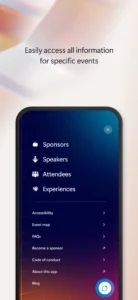
Once you sign in, the app allows you to build a personalized schedule from the entire event catalog. You can filter sessions by your specific topic, desired skill level, or product area of interest. By bookmarking your favorites, you create a custom agenda that helps you prioritize what matters most to your professional goals. The app serves as a centralized tool for developers, IT professionals, and business decision-makers to track logistics and content without switching between multiple platforms.
Streaming and Networking
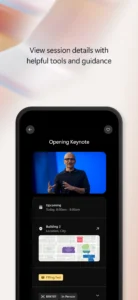
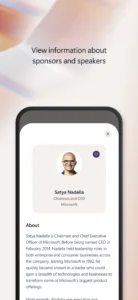
Whether you are attending in person or streaming from your desk, Microsoft Events keeps you connected. You can watch live keynotes and product announcements directly through the interface. If you miss a session, you can access recordings and resources on demand after the event concludes. The app also facilitates community engagement, allowing you to view speaker profiles and participate in forums. If you manage other business tasks on the go, you might also find Kyte: POS, Online Store & Catalog useful for your professional toolkit. For those interested in AI-powered search tools, Bing: Chat with AI & GPT-4 is another relevant resource from the same developer.
Quick Facts
Strengths and Limitations
Strengths:
- Centralizes schedules, streaming, and maps in one application.
- Provides on-demand access to recordings and resources after events.
- Allows filtering of session catalogs by skill level and product area.
- Enables direct connection with speakers and other event attendees.
Limitations:
- Requires a relatively modern device running Android 11 or higher.
- The large file size of 120.4 MB may require significant storage space.
- Extensive permission requirements, including biometric access and background services.
Frequently Asked Questions
Is Microsoft Events free to use?
Yes, the app is free to download and use for accessing Microsoft events.
Does it work offline?
The app requires an active internet connection to stream content, receive real-time updates, and participate in community forums.
Which Android version is required?
You need a device running Android 11 or higher to install and operate the latest version of the app.
