


Mutsapper - Chat App Transfer 4.7.44.1023
November 26, 2026
79.7 MB
4.7.44.1023
Android 7.0
com.wondershare.wutsapper.android
RELATED APPS






SCREENSHOTS
DESCRIPTION
Transfer WhatsApp Data Without a Computer Using Mutsapper – Chat App Transfer APK
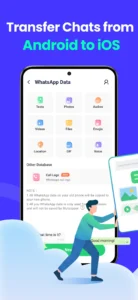
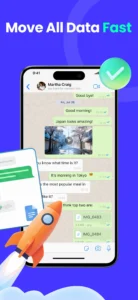
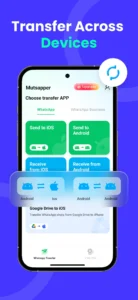
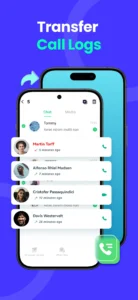
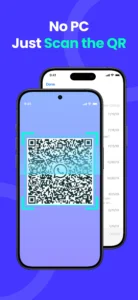
Switching to a new smartphone often creates a major problem: losing your important chat history. Mutsapper – Chat App Transfer solves this by allowing you to move your messages, photos, videos, and contacts directly between Android and iOS devices. Developed by Shenzhen Wondershare Software Co., Ltd., this tool removes the need for a computer during the migration process. If you have ever struggled with moving data between platforms, this Mutsapper – Chat App Transfer APK provides a direct path to keep your history intact. It uses an OTG cable connection to ensure the transfer is stable, secure, and fast. The app is designed to help you manage your digital life when you upgrade your hardware, ensuring your memories stay with you.
Key Capabilities for Data Migration
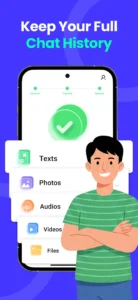
The app offers several features to manage your messaging history effectively. You can move your entire WhatsApp world, including stickers, emojis, and voice notes, between Android and iPhone. For those who need to keep their data organized, you can check out ZArchiver Pro Donate to manage other file types on your device. The tool also supports migrating history from GB WhatsApp, ensuring that even specific versions of the app can be moved without data loss. Beyond simple moving, it includes a recovery feature for deleted messages. If you accidentally remove a chat, photo, or video, the app helps you restore it in a few steps. You can also manage two WhatsApp accounts on one device or use the same account across multiple phones, which adds flexibility to your daily communication.
Setting Up and Using the Tool
To begin, download the Mutsapper – Chat App Transfer APK and ensure your device runs Android 7.0 or higher. You will need to grant several permissions for the app to function, including access to contacts, storage, camera, and nearby Wi-Fi devices. These permissions are necessary to locate your phone data and facilitate the physical connection between devices. If you are looking for more apk files to enhance your mobile experience, you can explore our collection. The app performs all transfers locally on your device. This means no cloud storage is involved, which keeps your sensitive data private. It supports a wide range of smartphone brands including Samsung, Xiaomi, Huawei, and Motorola. For other utility needs, you might also be interested in Minecraft Java: PojavLauncher to run different software environments on your phone.
Quick Facts
Strengths and Limitations
Strengths:
- Direct phone-to-phone transfer using an OTG cable.
- Supports cross-platform migration between Android and iOS.
- Includes recovery tools for deleted media and messages.
- Operates locally to protect user privacy without cloud storage.
- Fast migration speeds claimed to be up to 5X faster than standard backups.
Limitations:
- Requires a physical wired connection between devices.
- Many permissions requested for full functionality.
- Lower user rating compared to similar tools.
Who Should Use This App
This app is ideal for users who frequently switch between Android and iPhone and need their WhatsApp data to follow them. If you want a fast, local migration process without relying on cloud backups, this is a strong choice. Users who prefer not to use a computer for data management will find the OTG cable method very convenient. The Mutsapper – Chat App Transfer application is designed to be accessible for anyone needing to move data securely.
Is Mutsapper free to use?
The app is free to download and use for your WhatsApp migration needs.
Does it work offline?
Yes, the transfer happens locally between your devices, meaning you do not need cloud storage or constant internet access for the migration process itself.
Which Android version is required?
You must have Android 7.0 or higher installed on your device to use this app.
APP TRAILER
