


Dr.Fone: Photo & Data Recovery 5.3.15.1098
November 26, 2026
310.2 MB
5.3.15.1098
Android 7.0
com.wondershare.drfoneapp
RELATED APPS



SCREENSHOTS
DESCRIPTION
Why Choose Dr.Fone: Photo & Data Recovery APK for Your Device?
Have you lost important files or moved to a new phone and need your data transferred? Dr.Fone: Photo & Data Recovery APK is a comprehensive toolkit designed to help users manage their mobile data, recover deleted items, and troubleshoot common system issues. Developed by Shenzhen Wondershare Software Co., Ltd., this application serves as an all-in-one hub for tasks like chat migration, device unlocking, and AI-powered photo enhancement. Whether you are switching to a new device or trying to fix a persistent system error, this app offers a centralized solution for your maintenance needs.
Key Features and Capabilities
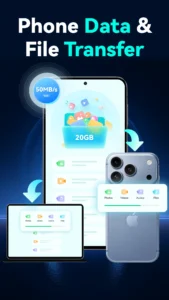
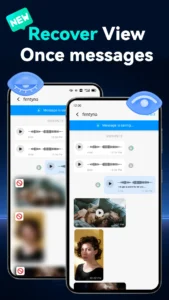
The app offers a wide variety of utilities to help you maintain your device performance and data integrity. With Dr.Fone: Photo & Data Recovery, you can transfer photos, contacts, and videos between devices or between your phone and a PC using local Wi-Fi. It supports WhatsApp and WhatsApp Business chat migration, helping you keep your conversations when you upgrade to a new phone model. You can create a phone clone to ensure your new device keeps the key content from your old one, making the transition much faster. The tool also provides a smarter alternative to slow Bluetooth transfers by utilizing local Wi-Fi for large file movements.
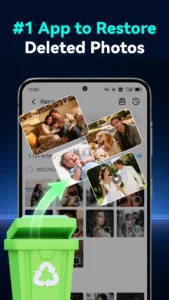
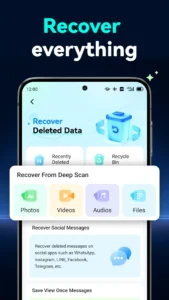
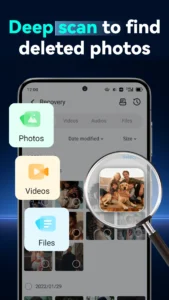
For those who accidentally delete files, the software provides options to recover recently removed photos, videos, and audio. It also features an AI photo enhancer that improves image clarity for blurry or low-resolution pictures, helping you repair old photos so they look sharper. Beyond data, the app includes a virtual location tool for privacy and a privacy space to hide and encrypt your sensitive files. If you are looking for a reliable app store apk, this tool covers many maintenance needs in one place. Additionally, a new feature allows you to perform a used phone check, which reviews hardware consistency, lock status, and battery health before you buy or sell a device.
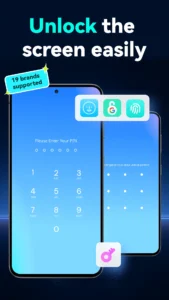
The app also provides a system repair function to address issues like boot loops, black screens, or system lag. It offers device unlock support for specific Samsung and LG models, guiding you through the process with on-screen instructions. Some advanced unlock scenarios depend on the device model and Android version, so checking compatibility before use is recommended. Because the app interacts with deep system functions, it requests many permissions including access to your contacts, camera, microphone, and external storage to perform recoveries and transfers. It also uses Bluetooth and Wi-Fi state permissions for file sharing. You should review these requests during installation to ensure you are comfortable with the scope of access the app requires. The app effectively manages foreground services for data syncing and location tasks to keep processes running while you work.
Quick Facts
Strengths and Limitations
Strengths:
- Provides a diverse set of tools including data transfer, recovery, and system repair.
- Features AI-based tools to improve photo quality and clarity.
- Includes a new used phone verification feature for hardware checks.
- Supports WhatsApp chat migration between devices.
- Offers a secure privacy space for sensitive files.
Limitations:
- Large file size of 310.2 MB may consume significant internal storage.
- Requires a wide range of system permissions to function across all tools.
- Recovery success depends on specific device scenarios and file availability.
- Some advanced features like device unlocking are limited to certain manufacturers.
Utility tools can help you manage your mobile experience. You might also be interested in ZArchiver Pro Donate for file management or Minecraft Java: PojavLauncher for gaming. These tools complement the utility features found in Dr.Fone: Photo & Data Recovery.
Is Dr.Fone: Photo & Data Recovery free?
Yes, the app is free to download and install, though it may contain in-app purchases for advanced features.
Does it work offline?
Some features, such as local file transfer via Wi-Fi, work without an active internet connection, while others require connectivity to function correctly.
Which Android version is required?
You need a device running Android 7.0 or newer to use this application.
APP TRAILER
