


InClowdz - Cloud Transfer 1.7.5.10
November 26, 2026
2.0 MB
1.7.5.10
com.wondershare.inclowdz
RELATED APPS






SCREENSHOTS
DESCRIPTION
Managing your cloud files with InClowdz – Cloud Transfer APK
InClowdz – Cloud Transfer is a tool developed by Shenzhen Wondershare Software Co., Ltd. that simplifies how you handle files across multiple storage platforms. Instead of manually downloading and re-uploading your data, InClowdz – Cloud Transfer automates the process. This utility is designed for users who need to bridge the gap between different cloud providers without spending time on manual copy-and-paste tasks. By using the InClowdz – Cloud Transfer APK, you can centralize your file management routines directly on your mobile device.
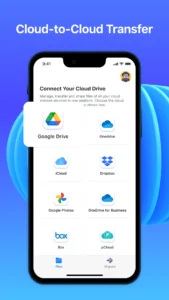
When you use InClowdz – Cloud Transfer, you can link various services including Google Drive, Dropbox, Box, OneDrive, pCloud, and Amazon S3. The app allows you to view storage usage and quotas for each account directly from your phone. You can also upload photos and videos from your device storage to your preferred cloud platform. By streamlining your digital storage, it helps you keep your files organized across several accounts. You can find more useful tools at whats download if you are looking to expand your mobile utility collection. For managing compressed files, you might also consider ZArchiver Pro Donate as an alternative utility.
Key features of the application
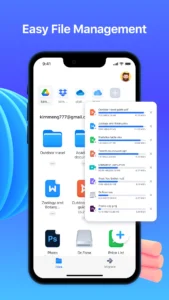
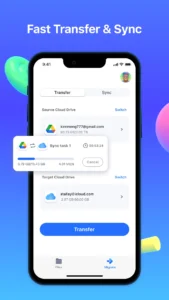
The primary benefit of this application is the ability to sync and transfer files between cloud drives with a single click. This eliminates the need to download files to your local device first. Furthermore, you can manage as many clouds as you have in one interface. The app also supports basic file operations such as renaming, deleting, and downloading files, providing a central hub for your cloud storage needs.
- Transfer and sync files directly between different cloud drives
- Manage as many cloud accounts as you need in one place
- View important cloud info such as storage usage and quotas
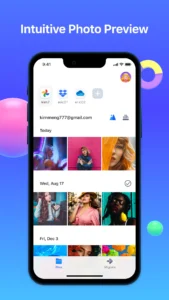
- Upload your mobile photos and videos directly to the cloud
- Perform file operations like renaming, deleting, and downloading
If you want to explore other utility types, you may also want to look into Minecraft Java: PojavLauncher for a different kind of mobile experience. While InClowdz – Cloud Transfer focuses on storage, it remains a specialized tool for cloud management. Using the InClowdz – Cloud Transfer APK ensures you have a consistent way to monitor your digital assets across various platforms.
Getting started and permissions
To begin, install the app and grant the necessary permissions. The app requires access to your camera for uploads, internet connection for cloud access, and external storage to read or write files. It also checks your network state and uses the Google Play billing system for optional premium subscription services. The setup is simple, allowing you to link your accounts quickly to start moving data.
Strengths and limitations
- Supports multiple popular cloud services
- Enables one-click transfers between different accounts
- Allows direct uploads from your smartphone
- Centralized view of storage usage across platforms
- The app includes in-app purchases for premium subscriptions
- Advanced features require a monthly, quarterly, or yearly subscription
- Requires active internet connection for all cloud operations
Who should install this app?
This app is ideal for users who frequently move data between different cloud services and want to save time. It is helpful for those who use multiple providers and need a single view of their storage usage. However, if you only use one cloud service, you may not find the transfer features necessary. Users who prefer not to pay for subscriptions should note that advanced functionality is gated behind a payment wall.
Is this app free to use?
Yes, the app is free to download, but it offers optional subscription memberships for expanded features.
What are the subscription options?
You can choose between monthly, quarterly, or yearly plans, priced at $9.99, $24.99, and $59.99 respectively.
Does the app store my content?
No, the app does not provide content or store your files itself. It functions as an interface that works with existing cloud APIs.
Which Android version is required?
The developer has not specified a minimum Android version for this application.
