

Dr.Fone Link 2.0.8
November 26, 2026
28.8 MB
2.0.8
Android 5.0
com.wondershare.drfone.link
RELATED APPS

SCREENSHOTS
DESCRIPTION
How does the Dr.Fone Link APK help you manage your files?
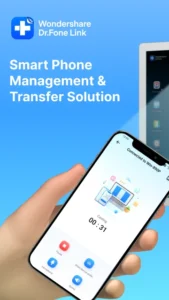
Are you looking for a way to manage your mobile files and transfer data without using cables? Dr.Fone Link, developed by Shenzhen Wondershare Software Co., Ltd., is designed to handle phone management and wireless data sharing. The Dr.Fone Link APK allows you to connect your devices to other platforms wirelessly, making it a flexible tool for users who need to move media or manage applications quickly. This application provides a central hub for your device contents, ensuring that you can organize your media and software with ease.
By providing wireless connectivity, Dr.Fone Link removes the need for physical USB cables when you are nearby your other devices. You can use this tool to perform nearby transfers and share files across different platforms. It focuses on providing a fast, encrypted, and secure way to handle your data transfers. To help you find the best software for your needs, you can browse our apk collection for Android whenever you need reliable utilities.
Beyond simple file sharing, the app acts as a comprehensive manager for your device. You can manage your media files and organize your installed applications directly. Because it requires access to all your files, the app uses these permissions to help you maintain control over your storage and apps. The Dr.Fone Link APK integrates these functions into a single interface, which simplifies the process of moving content between your devices. It is a practical solution for those who want to avoid the clutter of cords and manual file syncing.
What features does this tool offer?
The application provides several core functions to keep your data organized and accessible:
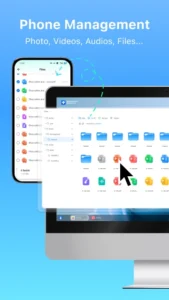
- Phone Management: You can manage media files and organize applications, requiring permission to access your device storage.
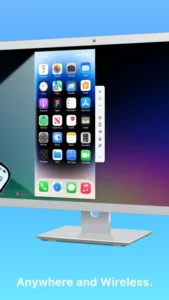
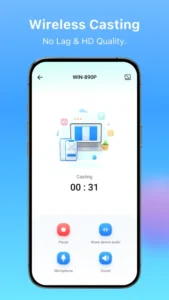
- Wireless Mirroring: Connect your devices wirelessly across various platforms without requiring a physical cable connection.
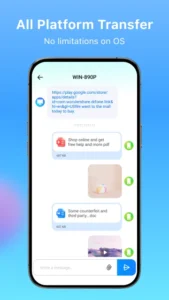
- Nearby Transfer: Utilize nearby share capabilities to move data between devices quickly.
- High-Speed Data Transfer: Perform transfers with a focus on speed while keeping data encrypted and secure.
If you need advanced file handling, consider ZArchiver Pro Donate for additional file extraction needs. For users interested in running Java applications on their mobile devices, Minecraft Java: PojavLauncher is another utility that offers unique functionality.
Getting started with the app
To begin using Dr.Fone Link, ensure your device runs Android 5.0 or higher. During installation, the app requests a wide range of permissions, including access to location, camera, contacts, calendar, external storage, and phone state. These permissions are necessary to support the diverse range of features, such as media management and wireless device linking. The app also requires access to Bluetooth, Wi-Fi states, and package usage statistics to maintain its connection and management features.
Dr.Fone Link requires you to accept these system-level permissions to function as intended. Once installed, the app handles your files and connections through a single interface. This setup allows you to monitor your device power, manage notifications, and organize your installed packages without additional software.
Quick facts about the app
Strengths and limitations
Strengths:
- Wireless file transfers eliminate the need for cables.
- Supports fast and encrypted data movement.
- Includes comprehensive phone and app management tools.
Limitations:
- Requires a very long list of system permissions to operate.
- The interface and features may feel complex for basic users.
- Rating of 3.4/5 suggests some users experience mixed results.
Frequently asked questions
Is Dr.Fone Link free to use?
Yes, the app is free to download and use.
Does the app work offline?
The app focuses on wireless connectivity and data transfer, which generally requires network or Bluetooth access.
Which Android version is required?
You need a device running Android 5.0 or higher to install this application.
