

Data Transfer - MobileTrans 4.8.15.1104
November 26, 2026
156.8 MB
4.8.15.1104
Android 7.0
com.wondershare.mobiletrans
RELATED APPS






SCREENSHOTS
DESCRIPTION
Is the Data Transfer – MobileTrans APK the right choice for moving your files?
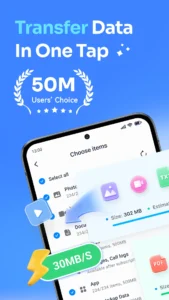
When you buy a new phone, moving your data is often the biggest headache. Data Transfer – MobileTrans by Shenzhen Wondershare Software Co., Ltd. provides a solution for users who need to move photos, contacts, videos, and even WhatsApp chat history between devices. If you are looking for the Data Transfer – MobileTrans APK, this tool is designed to work when official migration tools get stuck or fail to recognize specific files.
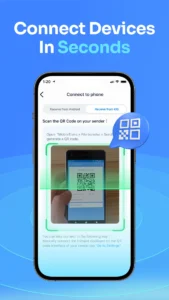
The app acts as a bridge between your old and new devices. By scanning a QR code, you can establish a connection and begin moving your data without using your mobile data plan. This local transfer method ensures that your information stays private during the process. If you are looking for a reliable whats download APK, this tool is a popular option for managing phone transitions.
Key features for data migration
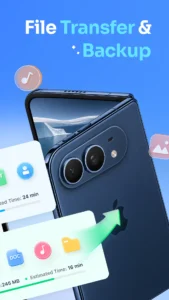
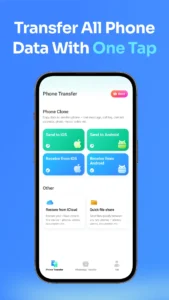
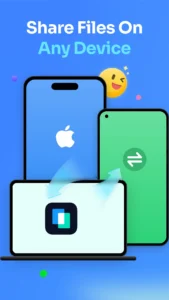
Data Transfer – MobileTrans covers a wide range of file types to ensure nothing important is left behind. You can move documents like Word, Excel, PowerPoint, and PDF files alongside your media library. The application is built to handle cross-platform transfers, meaning you can move data from Android to iPhone, iPhone to Android, or between two devices of the same brand.
One of the standout features is the dedicated WhatsApp and WhatsApp Business transfer tool. This allows you to move your chat history, stickers, and attachments, though note that you will need an OTG cable to connect the two phones for this specific task. Furthermore, the app supports backing up and restoring your SMS and call logs, which is useful if your carrier or system tools do not support these formats.
Getting started with your transfer
To use the app, ensure both devices have Data Transfer – MobileTrans installed. The app requires several permissions to function, including access to your contacts, SMS, call logs, and storage. These permissions are necessary for the app to read your existing data and write it to the new device. You may also need to grant location and Bluetooth permissions to help the phones discover each other during the pairing process.
Users interested in advanced file management might also find ZArchiver Pro Donate useful for managing compressed files on their device. For those who want to play classic PC games on mobile, you can also check out Minecraft Java: PojavLauncher to expand your mobile capabilities. Always ensure your devices are charged before starting a large transfer to avoid interruptions.
Strengths and limitations
Strengths:
- Supports wide variety of data types including documents and WhatsApp history.
- Cross-platform capability works across major brands like Samsung, Apple, and Pixel.
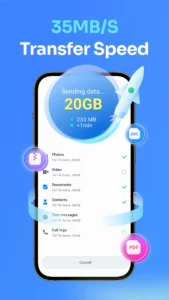
- Fast transfer speeds averaging 30 MB/s.
- Does not consume mobile data as it transfers locally.
Limitations:
- Requires a large number of system permissions to access files and contacts.
- WhatsApp transfer requires an additional OTG cable.
- The app size is relatively large at 156.8 MB.
Who should install this app?
This app is best for users who are switching phones and find that their manufacturer’s built-in migration tool is failing or incomplete. It is ideal if you have a mix of devices, such as moving from an old Android to a new iPhone. However, if you are comfortable with basic cloud backups like Google Drive or iCloud, you may not need this tool. It is also not recommended for users who are uncomfortable granting extensive permissions to their call logs and messages.
Frequently Asked Questions
Is the app free to use?
Yes, the app is free to download and use for your data transfer needs.
Does it work without internet?
Yes, the transfer happens locally between the two devices, so it does not consume your mobile data.
Which Android version is required?
You need a device running Android 7.0 or higher.
APP TRAILER
