


Dr.Fone Virtual Location 13.0.22.79
November 26, 2026
63.9 MB
13.0.22.79
Android 6.0
com.wondershare.virtuallocation
RELATED APPS





SCREENSHOTS
DESCRIPTION
How can you change your GPS location instantly with the Dr.Fone Virtual Location APK?
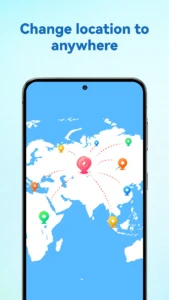
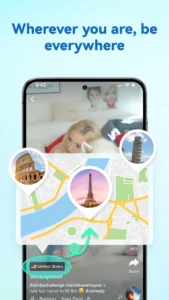
If you want to appear in a different part of the world without traveling, Dr.Fone Virtual Location provides a reliable solution. Developed by Shenzhen Wondershare Software Co., Ltd., this tool allows you to set a fake GPS location on your Android device with a single click. By installing the Dr.Fone Virtual Location APK, you gain the ability to explore virtual journeys or interact with location-based apps from anywhere in the world. It is designed for users who need to manage their digital presence safely and effectively. Whether you are a casual user or an avid gamer, this utility ensures your privacy remains protected while you navigate the map.
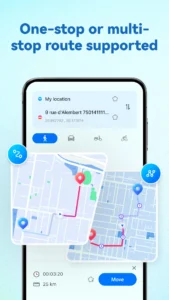
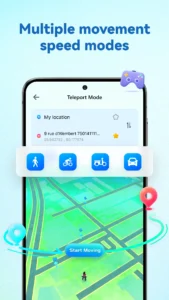
The app offers several modes to manage your virtual movement. You can use the teleport mode to jump to any specific coordinate instantly by zooming in and out on the map. If you need to simulate realistic travel, the one-stop route feature lets you choose a start and end point to walk along real roads. For more complex paths, the multi-stop route function helps you create a sequence of points to follow. This Dr.Fone Virtual Location engine is built to be stable, meaning it avoids the common issues of jumping between real and fake positions found in lower-quality tools. You can explore many other utilities when you look for apk download for pc to enhance your mobile experience.
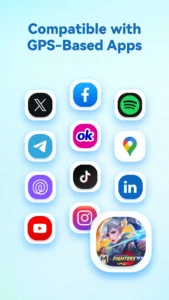
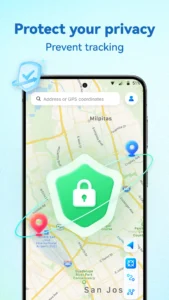
Many users find Dr.Fone Virtual Location helpful for location-based AR games, social platforms, and dating apps. By masking your real coordinates, you can access content from other regions or prank friends. The developers emphasize data security, stating that your real location data is not leaked to third parties. When you set up the app, you will need to grant several permissions to ensure it functions correctly. It requires access to your fine and coarse location, the ability to set mock locations, and network state information. Because it operates as a background service, it also requires permissions to display notifications and keep the device awake. To handle files, it requests read and write access to your storage, while billing permissions are included for internal purchases. The app also uses activity recognition to better manage how it tracks your simulated movement patterns.
If you are looking for other utilities, consider using ZArchiver Pro Donate for managing your files or Minecraft Java: PojavLauncher to play PC versions of games on your phone. These tools, like the one from Wondershare, help you optimize your device usage for specific tasks.
Strengths and Limitations
Strengths:
- Multiple routing options including teleport, one-stop, and multi-stop modes.
- Focuses on data security to prevent real location tracking and protect user privacy.
- Stable performance designed to avoid frequent crashes or lag during navigation.
- User-friendly interface that allows for one-click location changes anywhere.
- Compatible with various location-based games, social media, and dating platforms.
Limitations:
- Requires several system permissions, including mock location access to function.
- Includes in-app purchases for certain advanced features.
- Requires Android 6.0 or higher to function properly.
- Relies on active internet connectivity for map loading and coordinate updates.
Who should use this app?
This tool is ideal for gamers who want to play location-based titles without moving, or for social media users who want to change their visible region for privacy or testing. You should skip this app if you are not comfortable granting mock location permissions to a third-party tool or if your device runs an Android version older than 6.0.
Is Dr.Fone Virtual Location free to use?
The app follows a free price model with in-app purchases available for specific features.
Does it work offline?
The app requires an active internet connection to access maps and update your virtual position effectively.
Which Android versions are supported?
It requires Android 6.0 or higher to run on your device.
