


RELATED APPS






SCREENSHOTS
DESCRIPTION
Setting up a fast mobile web browser can instantly change how you search, read, and save mobile data on your phone. Opera Mini: Fast Web Browser is a lightweight communication app published by Google Commerce Ltd that combines ad blocking, offline reading, built-in AI chat, and security features in a 56.3 MB package. If you plan to install the Opera Mini: Fast Web Browser APK, here is how to get it configured on your Android device to maximize your mobile efficiency.
Setting Up Opera Mini: Fast Web Browser APK on Android
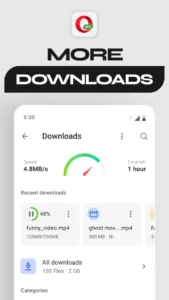
When you complete the Opera Mini: Fast Web Browser download and open the app for the first time, the setup process guides you through essential device permissions. Granting these permissions allows the browser features to work correctly. You must authorize internet and network access to fetch websites, connect to AI chat services, and handle file downloads. Storage access is required to save pages for offline reading and store downloaded files in public or PIN-protected folders. Location services help the app deliver localized news, regional football updates, and relevant search results. Camera and audio access support voice input for AI chat interactions and allow you to upload photos or videos directly through web forms. Finally, notification permissions ensure you receive alerts on completed background downloads, active football match scores, and Opera Rewards points. The app also uses biometric and fingerprint permissions to facilitate secure entry into your private browsing sessions.
Ad Blocking, AI Chat, and Data Saving Features
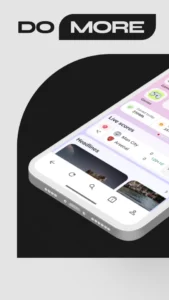
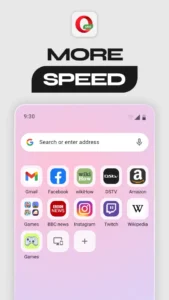
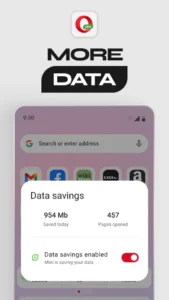
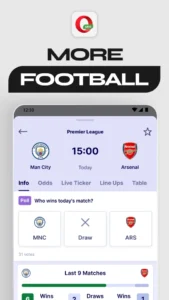
After granting permissions, you can customize your browsing setup. The integrated ad blocker reduces page load times and cuts data usage on slow mobile networks. From the address bar area, you can access the built-in AI chat assistant to ask questions and search for information without opening another application. Privacy settings allow you to launch Incognito mode to prevent history, cookies, and temporary files from saving on your device. For extra privacy, Locked mode lets you set a PIN to protect private tabs and personal download folders. If you regularly share downloaded media with friends, using a messaging app like Telegram makes sending large files quite simple. Other utilities include Night Theme for lower eye strain in dark rooms, live sports updates covering major football leagues, and MiniPay, an in-browser wallet for digital payments. The app also includes Opera Rewards, which lets you collect daily points while browsing and redeem them for rewards inside the interface.
Opera Mini Quick Overview
Strengths and Limitations
Strengths
- Built-in ad blocker speeds up browsing and saves cellular data.
- Includes built-in AI chat and PIN-protected private storage folders.
- Offline page saving allows reading articles without an active internet connection.
- Offers night mode, customizable themes, and live football scores.
- Integrated wallet features with the MiniPay system.
Limitations
- Free model includes ad placements and promotional reward systems.
- Requests multiple system permissions including location, audio, camera, and storage.
- Requires significant background service permissions for notifications and data sync.
Who Should Install Opera Mini?
You should install Opera Mini: Fast Web Browser for Android if you want an all-in-one browser with data-saving features, offline saving, sports news, and PIN security. It is ideal for users on limited data plans or those who want a browser that handles daily tasks without switching between multiple apps. If you prefer a browser with fewer permission requests or no integrated financial reward systems, you might consider Google Chrome: Fast & Secure as an alternative.
Frequently Asked Questions
Is Opera Mini free to use?
Yes, Opera Mini is free to download and use. It uses an ad-supported pricing model with optional rewards features.
Can I read web pages offline with Opera Mini?
Yes, you can save web pages directly inside the app to read them later when you do not have an internet connection.
How does the PIN locked mode work?
Locked mode allows you to secure your private tabs and download folder behind a unique PIN so other people cannot access them.
Does this browser have AI features?
Yes, it features a built-in AI chat assistant that allows you to ask questions and explore ideas without needing to install extra software.
APP TRAILER
