


Phone Dialer: Contacts & Calls 6.9
Glad Appvestor
November 22, 2026
47.5 MB
6.9
com.smsrobot.call.blocker.caller.id.phonedialer.contacts.xfone
RELATED APPS






SCREENSHOTS
DESCRIPTION
Efficient Management with Phone Dialer: Contacts & Calls APK
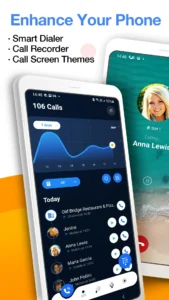
If you want to simplify how you manage your daily communication, Phone Dialer: Contacts & Calls provides a direct solution. Developed by Glad Appvestor, this application focuses on making your dialing and contact organization faster. It is built for users who need a clean, reliable interface to handle calls without unnecessary complications. By choosing to download the Phone Dialer: Contacts & Calls APK, you gain access to a tool that prioritizes your calling needs above all else. This software is designed to be your primary hub for every incoming and outgoing interaction on your mobile device.
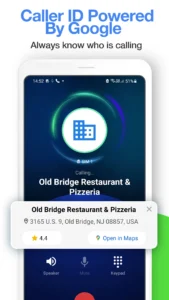
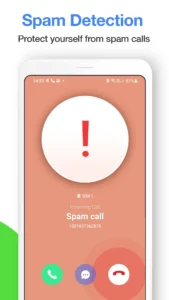
The app offers several core functions to help you stay organized. You can manage your entire contact list through an interface designed for quick access. This helps you avoid scrolling through long menus when you need to reach someone quickly. Additionally, Phone Dialer: Contacts & Calls includes a caller ID feature that identifies unknown incoming numbers, helping you decide which calls to prioritize. The application handles your phone book with ease, allowing for rapid searching and sorting of entries so you never lose track of important numbers.
Customizing Your Calling Experience
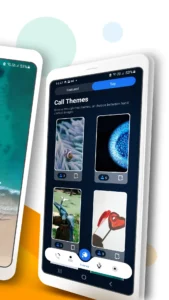
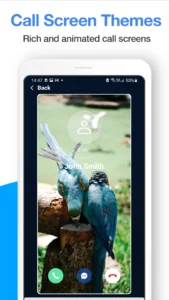
Beyond basic dialing, the app allows you to change the appearance of your caller screen. You can personalize this interface to match your preferences, which makes your device feel unique to your style. If you have specific people you talk to most often, the app lets you organize these as favorite contacts for even faster dialing. It is a practical tool for those who use their phone for frequent communication, similar to how one might use Telegram for specialized messaging tasks.
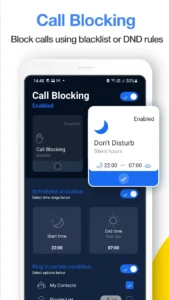
The app also includes a call blocking feature to help you filter out unwanted numbers. This keeps your call log clean and ensures you only spend time on the conversations that matter to you. Because it focuses on efficiency, the app maintains a clear layout that does not overwhelm the user with complex settings. For browsing the web or handling other mobile tasks, you might also look at Google Chrome: Fast & Secure to keep your mobile experience consistent. Using the Phone Dialer: Contacts & Calls APK ensures your calling interface remains lightweight while providing the features you actually need for daily use.
Getting Started and Permissions
To start using the app, download the installation file and follow the on-screen prompts. Note that Phone Dialer: Contacts & Calls requires various permissions to function as a full dialer replacement. These include access to your contacts, call logs, and phone state to manage incoming and outgoing calls effectively. It also requests system-level permissions to display the caller screen over other apps and to modify audio settings for better call quality. Because it is a free app, it includes advertisements, and you may see requests related to ad services to manage these displays. Always review these settings to ensure you are comfortable with the access the app requires to operate correctly on your specific Android version.
Strengths and Limitations
Strengths:
- Clear and simple user interface for quick navigation.
- Built-in caller identification for unknown numbers.
- Easy customization options for the caller screen.
- Efficient tools for managing contact lists and favorites.
- Fast access to frequently called numbers.
Limitations:
- The app is supported by advertisements.
- Requires a wide range of system permissions to operate as a default dialer.
- Does not include advanced cloud synchronization features found in some other apps.
Who Should Use This App?
This app is ideal for users who feel their default phone dialer is too cluttered or lacks specific customization features. If you frequently handle unknown calls and want a faster way to organize your contacts, Phone Dialer: Contacts & Calls is a solid choice. If you prefer a minimal, stock experience without extra customization options, you may not find the features necessary for your daily routine.
Frequently Asked Questions
Is Phone Dialer: Contacts & Calls free?
Yes, the app is free to download and use, though it is supported by advertisements.
Does this app work offline?
The core dialing and contact management features function locally on your device.
What is the latest version available?
The current version provided is 6.9, last updated on August 25, 2026.
