


RELATED APPS






SCREENSHOTS
DESCRIPTION
Setting up your Spectacles by Snap Inc. APK
The Spectacles by Snap Inc. companion app is the essential tool for managing your wearable device. Developed by Snap Inc, this utility connects your hardware to your Android phone to unlock advanced features and control your viewing experience. When you download the Spectacles by Snap Inc. APK, you gain the interface required to bridge your phone and your glasses. Whether you are setting up a new device for the first time or adjusting your existing preferences, this application serves as the primary hub for your hardware. It streamlines the connection process so you can start using your wearable features without delay.
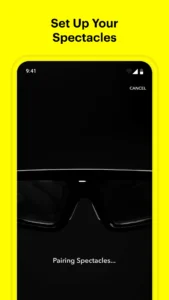
To get started, simply pair your device through the application in just a few taps. The app requires several permissions to function correctly, including Bluetooth for device discovery and Wi-Fi for stable data transfer. It also requests access to your camera and microphone to manage media capture and projection. By handling these permissions, Spectacles by Snap Inc. ensures that your phone and glasses stay in sync throughout your daily use. The app needs to manage background services and network states to maintain a constant connection between your devices. These technical requirements allow the software to provide a reliable link between your mobile device and the wearable hardware, ensuring your media captures and screen projections are handled smoothly.
Core features and functionality
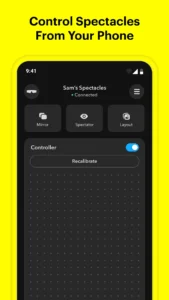
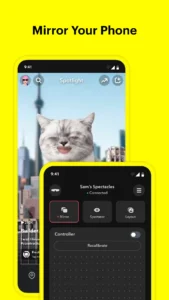
Once connected, you can use your phone as a controller. This allows you to point, select, and scroll through interfaces without using your hands, providing a more intuitive way to navigate your surroundings. You can also mirror your phone display directly to your glasses, letting you browse or stream content on the go. If you are interested in other utility applications for your device, you might explore ZArchiver Pro Donate for managing your local file archives.
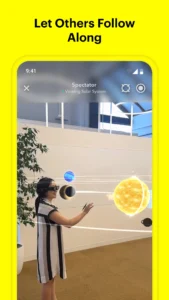
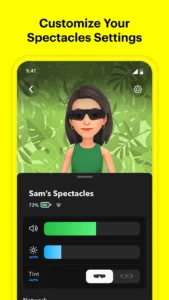
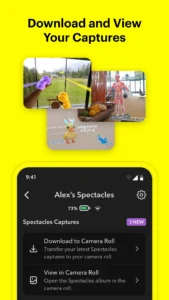
The app includes a spectator mode that lets you hand your phone to a friend, allowing them to see exactly what you are seeing from their own perspective. You can also download your captures directly to your phone for easy sharing. For those who want to customize their hardware, the settings menu provides full control over display brightness, audio volume, and other display preferences. You can also look into Minecraft Java: PojavLauncher to expand your mobile capabilities. These features are designed to give you complete control over how your hardware behaves in different environments, from bright outdoor settings to quiet indoor viewing sessions.
Key features included in the application
- Easy device pairing process with guided steps for quick setup.
- Hands-free navigation using your phone to point and scroll.
- Full Phone Mirroring to stream content from your device to your glasses.
- Spectator mode for sharing your current perspective with friends.
- Customization settings for volume, brightness, and display preferences.
- Media download feature to save and share your best moments.
- Background service management to keep hardware connected.
Quick facts about the application
Strengths and limitations
The Spectacles by Snap Inc. application is highly effective for its intended purpose. Its main strengths include a simple setup process, intuitive remote control features, and the ability to project your phone screen to your glasses. The interface is clean and functional, making it easy to navigate through settings and media libraries.
Technical requirements and limitations
- Requires Android 12 or higher to run.
- Extensive permission set required for background services and connectivity.
- This is a dedicated companion tool and provides no benefits without the specific hardware.
- The app requires active wireless connections to function properly.
Who should use this app?
This app is for anyone who owns compatible Spectacles hardware and wants to manage their device settings or stream content from their phone. If you do not own the specific hardware, this application will not provide any functional benefits. It is a dedicated companion tool designed exclusively for Snap Inc products, ensuring that users have the best possible experience when managing their wearable features. If you are a casual user or a tech enthusiast, you will appreciate how the app simplifies complex tasks like mirroring and media management.
Frequently asked questions
Is Spectacles by Snap Inc. free to download?
Yes, the app is free to use.
Does this app work offline?
The app relies on Bluetooth and Wi-Fi connectivity to communicate with your glasses, so it requires active wireless connections to function properly.
What is the minimum Android version required?
You need a device running Android 12 or higher to install and operate this application.
