


Store Commerce 9.59.26310.8
Microsoft Corporation
November 22, 2026
94.9 MB
9.59.26310.8
Android 7.0
microsoft.dynamics.commerce.storecommerce.android
RELATED APPS






SCREENSHOTS
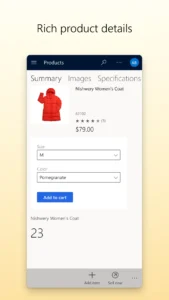
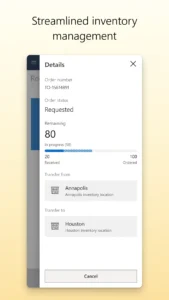
DESCRIPTION
Streamline Store Operations with Store Commerce
Store Commerce is the official point-of-sale solution designed by Microsoft Corporation for businesses using Dynamics 365 Commerce. This mobile application allows cashiers, store managers, and sales associates to handle complex retail tasks directly from a tablet or smartphone. By connecting your mobile hardware to your existing business infrastructure, you can manage daily store operations with efficiency. Whether you are looking for a small business inventory app or a full-scale enterprise solution, this tool provides the necessary features to keep your business running smoothly.
Key Features for Retail Management
The Store Commerce app offers more than just basic transaction processing. It is built to handle the diverse needs of a modern retail environment through several core capabilities:
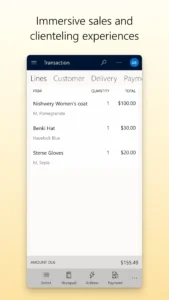
- Sales Transactions: Execute fast, flexible, and reliable sales workflows at the point of sale.
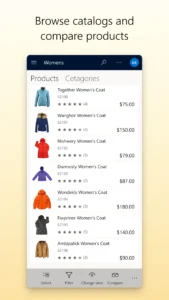
- Inventory Management: Track stock levels and manage fulfillment processes directly from the mobile interface.
- Assisted Selling: Use clienteling tools to better serve customers and provide personalized product recommendations.
- Business Reporting: Access role-based reports that give managers insight into shift performance and cash management.
- Hardware Integration: Connect the application to receipt printers, bar code scanners, payment terminals, and cash drawers for a complete retail station.
Getting Started with Store Commerce APK
To begin using the app, ensure your device meets the minimum requirement of Android 7.0 or higher. You must first deploy a Commerce Scale Unit via the Dynamics Lifecycle Service portal. When you launch the app, you will need the CPOS URL to activate your register. Please note that store workers and devices must be configured in the Dynamics 365 Commerce back office before sign-in is possible.
The app requires several permissions to function, including access to your camera and flashlight for scanning items, network and Wi-Fi state for connectivity, and vibration for notification alerts. As a product from Microsoft, it integrates well with other tools, similar to how you might use Microsoft AI search browser features for productivity.
Quick Facts
Strengths and Limitations
Strengths:
- Comprehensive management tools for retail and inventory.
- Support for external hardware like scanners and cash drawers.
- Highly customizable interface to match specific business needs.
Limitations:
- Requires a pre-configured Dynamics 365 Commerce environment.
- Not suitable for standalone use without a backend deployment.
- Requires specific administrative setup for every device and worker.
Who Should Install This App
This Store Commerce application is intended for business users who already utilize the Microsoft Dynamics 365 ecosystem. If you are an employee or a manager within an organization that uses this platform, this app is an essential tool for mobility. If you are a small business owner without a Microsoft Dynamics 365 Commerce backend, this app will not work for your needs.
Frequently Asked Questions
Is the Store Commerce app free?
Yes, the app is free to download and install, but it requires a pre-existing subscription and deployment of Microsoft Dynamics 365 Commerce to function.
Can I use this app without an internet connection?
The app requires network access for connectivity and to communicate with the Commerce Scale Unit for transactions and data synchronization.
Which Android version is required?
You need an Android device running version 7.0 or higher to install and run the latest version of the app.
