


Truecaller: Phone Call Blocker 26.45.5
RELATED APPS






SCREENSHOTS
DESCRIPTION
Truecaller: Phone Call Blocker APK for Android
Truecaller: Phone Call Blocker is a communication tool built by Google Commerce Ltd to manage incoming calls, block spam, and identify unknown numbers. With over 1 billion installs and a rating of 4.3/5 across nearly 30 million reviews, the application helps you keep robocalls and fraudulent telemarketers away from your main phone dialer.
Caller ID, Call Recording, and Smart SMS Features
Downloading the Truecaller: Phone Call Blocker APK gives you access to several key tools designed to filter your everyday communications:
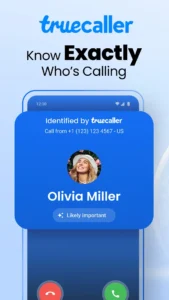
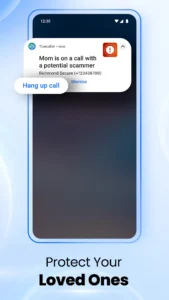
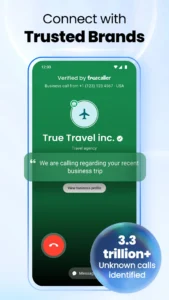
- Caller Identification and Spam Blocking: The app displays the identity of incoming callers even when they are not saved in your phonebook. It uses a community-updated database to automatically block robocallers, fraudsters, and telemarketers in real time.
- Call Screening and AI Transcriptions: You can automatically record incoming and outgoing calls. The app generates call subjects, summaries, and written AI transcripts so you can search through recorded conversations later.
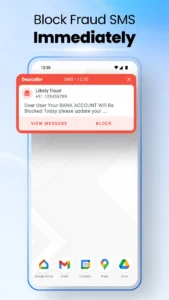
- Smart SMS Sorting and Translation: Incoming text messages are categorized into Personal, Other, and Spam tabs. Unwanted SMS senders can be blacklisted instantly, and foreign language texts can be translated with a single tap.
- Video Caller ID and Voice Calls: You can record short selfie videos that play when calling friends who use the service, or place direct voice calls over the internet similar to messaging on Telegram.
How to Set Up Truecaller: Phone Call Blocker for Android
To use Truecaller: Phone Call Blocker effectively, you need to set it as your default calling or messaging app when prompted during setup. During installation, the app requests several permissions to perform its duties:
- Phone and Call Logs (CALL_PHONE, READ_CALL_LOG): Required to detect incoming calls, display caller identification, and manage outgoing dialing.
- Contacts (READ_CONTACTS, WRITE_CONTACTS): Allows the app to match caller information against your contact list while keeping local names accurate. Truecaller does not upload or publish your phonebook.
- SMS (READ_SMS, SEND_SMS): Needed to filter telemarketing texts, group messages into categories, and block spam senders.
- Audio (RECORD_AUDIO): Necessary if you want to use the automatic call recording features or send voice notes.
- Location (ACCESS_FINE_LOCATION): Used for location-based features and regional scam defense filters.
App Specifications
Strengths and Limitations
Strengths:
- Real-time database blocks robocalls, fraud, and unwanted SMS automatically.
- Call recording features include summaries and searchable AI transcripts.
- Backup and restore functions save call logs, messages, and settings to Google Drive.
- Built-in translation translates foreign texts immediately without needing a separate browser like Google Chrome: Fast & Secure.
Limitations:
- Free version includes advertisements.
- Requires extensive system permissions to run full screening and recording features.
- File size is relatively large at 141.4 MB.
Should You Install Truecaller: Phone Call Blocker?
You should install the Truecaller: Phone Call Blocker latest version if you receive frequent robocalls, unknown numbers, or telemarketing texts, and want automated screening along with call transcriptions. However, if you prefer lightweight apps with minimal system permissions or dislike ad-supported interfaces, you may want to stick with your device’s stock phone dialer.
Frequently Asked Questions
Is Truecaller: Phone Call Blocker free to use?
Yes, the core app is free to download and use with ad support. An optional Premium subscription removes ads and adds extra features such as Incognito Mode, profile view alerts, and expanded call blocking controls.
Does Truecaller upload my phonebook to the web?
No, Truecaller does not upload your phonebook or make your contact list public or searchable.
Can the app record incoming and outgoing calls?
Yes, the app includes call recording functionality along with auto-generated summaries and searchable AI transcriptions.
How does the reverse number lookup work?
You can search unknown phone numbers directly in the app to check their caller ID against the global spam database built by millions of community users.
APP TRAILER
