


RELATED APPS






SCREENSHOTS
DESCRIPTION
Getting Started with Up Tempo: Pitch, Speed Changer APK
Installing Up Tempo: Pitch, Speed Changer is the first step toward transforming how you practice music or edit audio files on your device. To begin, download the latest version and allow the necessary permissions for the app to function properly. The app requires access to your storage to load audio files, microphone access for recording, and internet connectivity to facilitate various services. It also uses foreground services to ensure smooth playback and data processing while you work on your tracks. By utilizing Up Tempo: Pitch, Speed Changer APK, you gain access to a mobile studio environment that is both powerful and portable.
Once installed, the app provides an intuitive interface where you can immediately start importing your music. Musicians often use Meulify to organize their libraries, but for deep editing and performance practice, this tool offers professional-grade control. You can load files and use the waveform view to zoom in on specific sections of a song. Whether you need to practice a difficult guitar solo or adjust the key of a vocal track, the layout is designed for quick navigation and precise adjustments. The app also supports various audio formats like mp3, making it highly compatible with your existing collection.
Key Features for Musicians and Creators
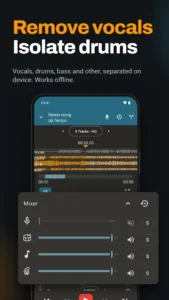
Up Tempo: Pitch, Speed Changer offers a comprehensive set of features designed by musicians to handle complex audio tasks. A standout feature is the stem separation tool, which allows you to isolate specific instruments like drums, guitars, or vocals. This is incredibly useful for creating custom backing tracks or karaoke versions of your favorite songs. For those who need to manage device audio settings alongside their editing, tools like Sound Assistant can be a helpful companion. This Up Tempo: Pitch, Speed Changer APK release also introduces new volume and formant effects to enhance your creative workflow.
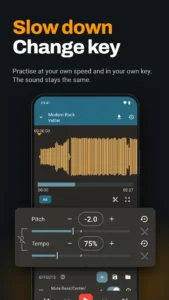
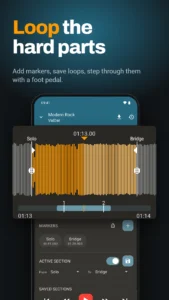
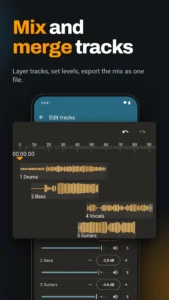
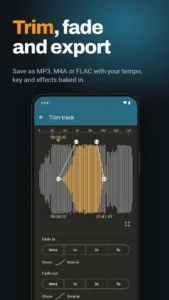
You can also change the playback speed and pitch in real-time. This is essential for transposing songs to different keys or slowing down fast passages to learn them note by note. The music looper allows you to set precise start and end points so you can repeat difficult sections until you master them. Additionally, the app includes a built-in audio recorder and multi-track mixing capabilities, letting you merge different layers to create your own unique compositions. If you need to make quick changes, the waveform view allows you to trim tracks and add fade-in or fade-out effects with ease.
Quick Facts
Strengths and Limitations
Strengths:
- Powerful stem separation to remove vocals or specific instruments.
- Real-time pitch and speed adjustment for effective music practice.
- Detailed waveform visualization with pinch-to-zoom functionality.
- Versatile export options for sharing your edited projects.
- Includes multi-track mixing to merge different audio layers.
Limitations:
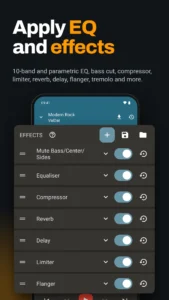
- Advanced effects like equalizer, reverb, and delay are restricted to the Pro version.
- Requires a wide range of permissions, including microphone and storage access.
- The file size is 28.5 MB, which requires available storage space.
- Some features may require a learning curve for beginners.
Who Should Use This App?
This application is ideal for musicians, vocalists, and podcasters who need a portable studio for practicing and editing. If you frequently need to change the tempo of a track or remove vocals for performance, this is a highly effective solution. However, casual listeners who only want to play music without editing features might find the interface more complex than a standard media player.
Frequently Asked Questions
Is Up Tempo free to use?
Yes, the app is free to download and includes core features like pitch shifting, speed changing, and stem separation. Advanced editing tools are available in the Pro version.
Does it work offline?
Yes, you can edit and work on your local audio files without needing a constant internet connection, although internet permission is required for the app’s services.
Can I use this for podcasts?
Absolutely. The app is widely used to adjust the talking speed of voice notes and podcasts, making it a great tool for editing spoken audio as well as music.
Which Android version is required?
The developer has not specified a minimum Android requirement, but the app is designed to work on most modern Android devices.
